
An AI agent can look inexpensive when its price is presented as a monthly subscription or a few cents per request. That view is incomplete. The real bill may also include tool calls, data storage, monitoring, security reviews, staff time, integration work, and the cost of correcting an action that went wrong.
For a small team, an AI agent can still be affordable. The budget should cover the full workflow rather than focus on one attractive price. A narrow, well-defined agent is easier to control. An agent that reads long documents, retries failed actions, and touches several systems can become expensive before anyone notices.
Why the headline price rarely tells the whole story
AI providers commonly charge in different ways. Some products use a per-user subscription. Others charge for model input and output, tool use, storage, or a combination of services. Cloud platforms can also charge different rates based on the model, modality, region, or service tier. OpenAI’s business pricing, for example, separates workspace plans from other usage arrangements and highlights administration, analytics, budgeting, and spend controls as business features [1]. Google and AWS also publish usage-based pricing structures that vary by model and service [2] [3].
External tools and extra steps increase the cost of a workflow. A simple question-and-answer task may require only one model request. A customer-research agent could gather documents, search a service, inspect a spreadsheet, draft a response, and send the result for human approval. Each stage can consume money or employee time.
Build the budget around three categories: fixed costs, variable costs, and risk-related costs. Fixed costs include subscriptions, hosting plans, logging platforms, and reserved staff capacity. Variable costs rise with volume, context length, model choice, tool calls, and retries. Risk-related costs include incident investigation, data cleanup, customer communication, and temporary manual work after a failure.
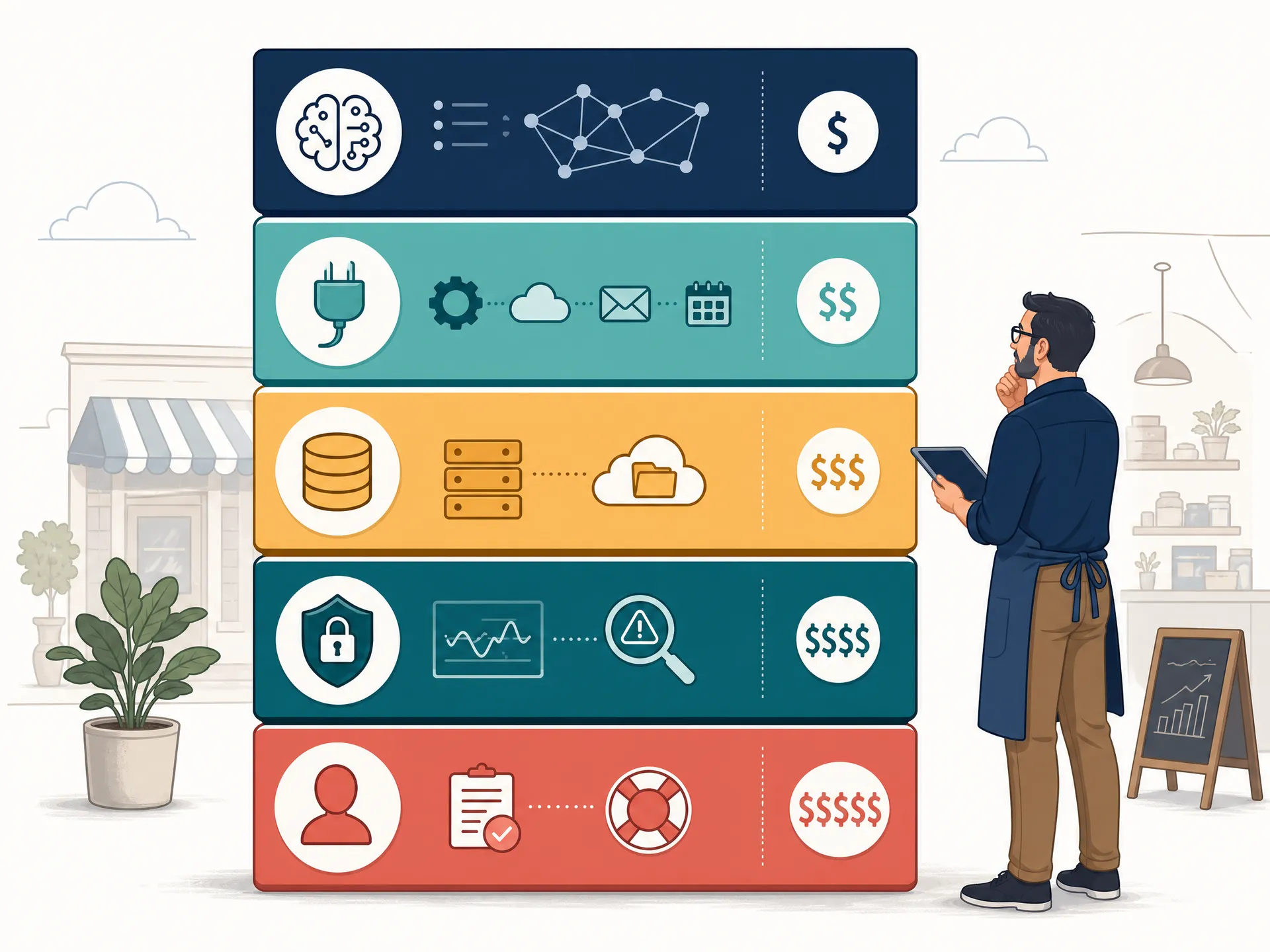
The five cost layers to include in your first estimate
1. Model usage and context length
Model usage is often the most visible expense, but it is not always the largest one. The bill depends on how often the agent runs, how much information it receives, how much it produces, and which model handles the request. Long instructions and large document excerpts increase input usage. Detailed answers increase output usage. A workflow that sends the entire conversation history every time may cost more than one that keeps only the relevant material.
Estimate a normal run and a heavy run. The normal run might read a short customer message and one policy page. The heavy run might review a long thread, retrieve several documents, and produce a detailed handoff. The difference between those cases is more useful than an average based on a quiet test week.
2. Tools, APIs, and connected services
An agent becomes useful when it can do something beyond generating text. It may search a knowledge base, send an email, check a calendar, update a CRM, or create a support ticket. Those connections can carry their own subscription fees, request charges, storage costs, or usage limits.
Make a list of every external service in the workflow. Record whether the service charges per user, per request, per record, or by volume. Include services that appear free during a trial because their limits may change when the workflow becomes important to the business.
3. Hosting, storage, and data movement
Some agents run inside a vendor’s platform. Others require a small application, serverless functions, a database, file storage, or a private network connection. These components may be inexpensive at low volume, but they still belong in the estimate. A knowledge base can grow as documents are added. Logs can accumulate quietly. A workflow that moves files between systems may create transfer charges or duplicate copies.
Storage also has a maintenance cost. Someone must decide how long logs remain available, remove obsolete documents, and check whether stored information is still needed. NIST’s AI Risk Management Framework treats trustworthiness as an ongoing responsibility during the design, development, use, and evaluation of AI systems [4]. This supports including maintenance and oversight in the operating budget rather than treating them as optional extras.
4. Monitoring, security, and support
A production agent needs more than a launch button. The team should know when it fails, exceeds a normal spend level, receives unusual input, or starts producing poor results. Monitoring may involve dashboards, alerts, tracing, evaluation tools, and retained logs.
Security work also consumes time. The team may need to review permissions, rotate keys, restrict sensitive fields, test prompt-injection risks, and investigate unusual activity. If the agent handles customer or employee information, the business may need a privacy review and a documented retention rule. These activities do not appear in a model’s token rate, yet they determine whether the workflow can operate safely.
5. Human review and recovery
A human approval step can reduce the chance of a damaging action, but it has a cost. An employee may spend thirty seconds checking a draft or several minutes reviewing an exception. Multiply that time by the number of runs and include it in the budget.
Recovery deserves its own line. If an agent sends an incorrect message, changes the wrong record, or creates duplicate work, someone must repair the result. A workflow that saves ten minutes on routine cases but creates a serious incident once a month may not be delivering a saving at all.
A simple formula for a realistic monthly estimate
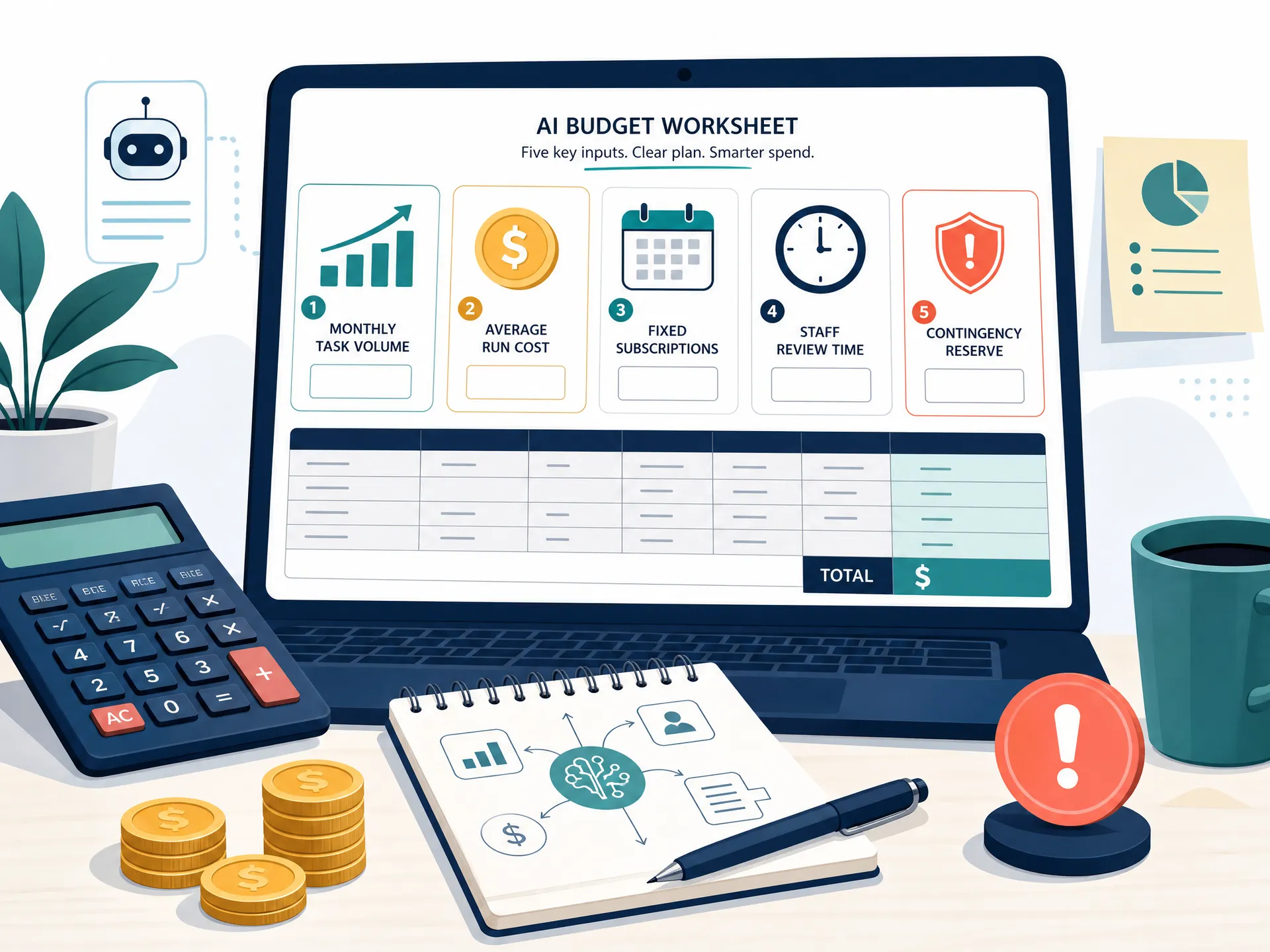
Start with the volume of completed runs rather than the number of people who might use the agent. Then estimate the cost of a typical run and a high-cost run. Add fixed service charges and staff review time.
| Budget item | What to estimate | Why it matters |
|---|---|---|
| Monthly run volume | Normal cases and peak cases | Volume drives variable usage. |
| Average run cost | Model calls, context, and tools | This shows routine spending. |
| High-cost run | Long context, retries, and extra tools | This reveals budget risk. |
| Fixed services | Subscriptions, hosting, storage, and monitoring | These costs continue even during quiet periods. |
| Staff time | Review, maintenance, and incident response | Human work is part of the total cost. |
| Contingency | A reserve for growth and failures | Early estimates are rarely perfect. |
A practical formula is: monthly cost = fixed services + routine runs + exceptional runs + human review + maintenance reserve. Do not treat the result as a promise. Treat it as a working model that should be updated when real usage arrives.
How to keep the budget from drifting
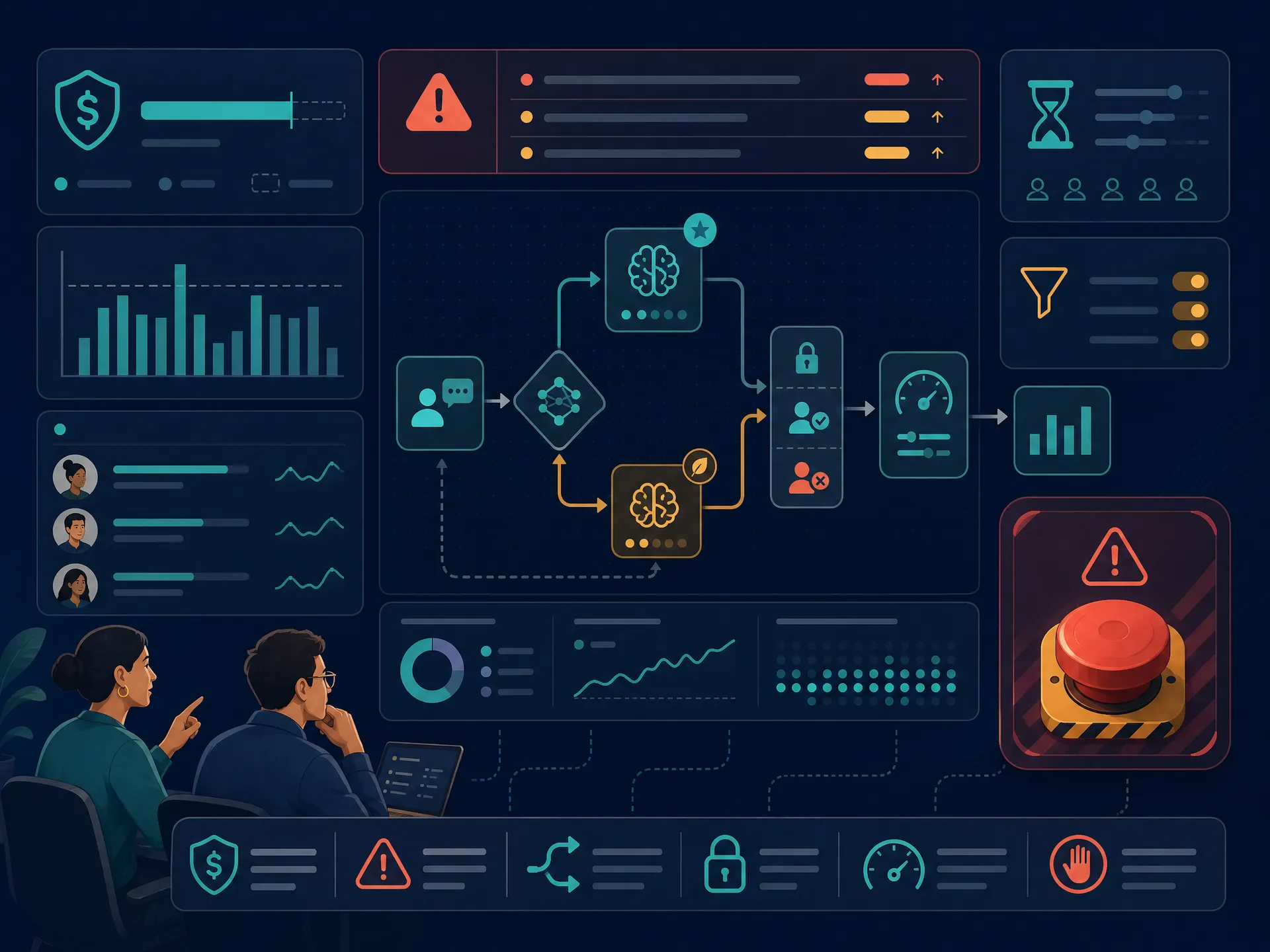
The first control is a clear task boundary. Tell the agent what it may do, what it must not do, and when it should stop. A workflow that can freely explore several systems will usually consume more resources than one with a defined route.
The second control is model routing. Use a faster, lower-cost model for classification, formatting, and simple extraction. Reserve a more capable model for cases that need deeper reasoning. A route should be based on measured quality rather than an assumption that the most expensive model is always best.
The third control is context discipline. Store useful summaries instead of sending every previous message. Retrieve only the documents relevant to the current task. Set limits on file size, response length, and the number of tool calls. These choices improve predictability without requiring the team to make the agent less useful.
The fourth control is a budget alert. Set a normal daily or monthly range and notify the owner when usage moves outside it. A cap can stop the workflow when a provider bill or request count crosses a defined threshold. Keep an emergency switch available so someone can pause the agent before investigating an unusual spike.
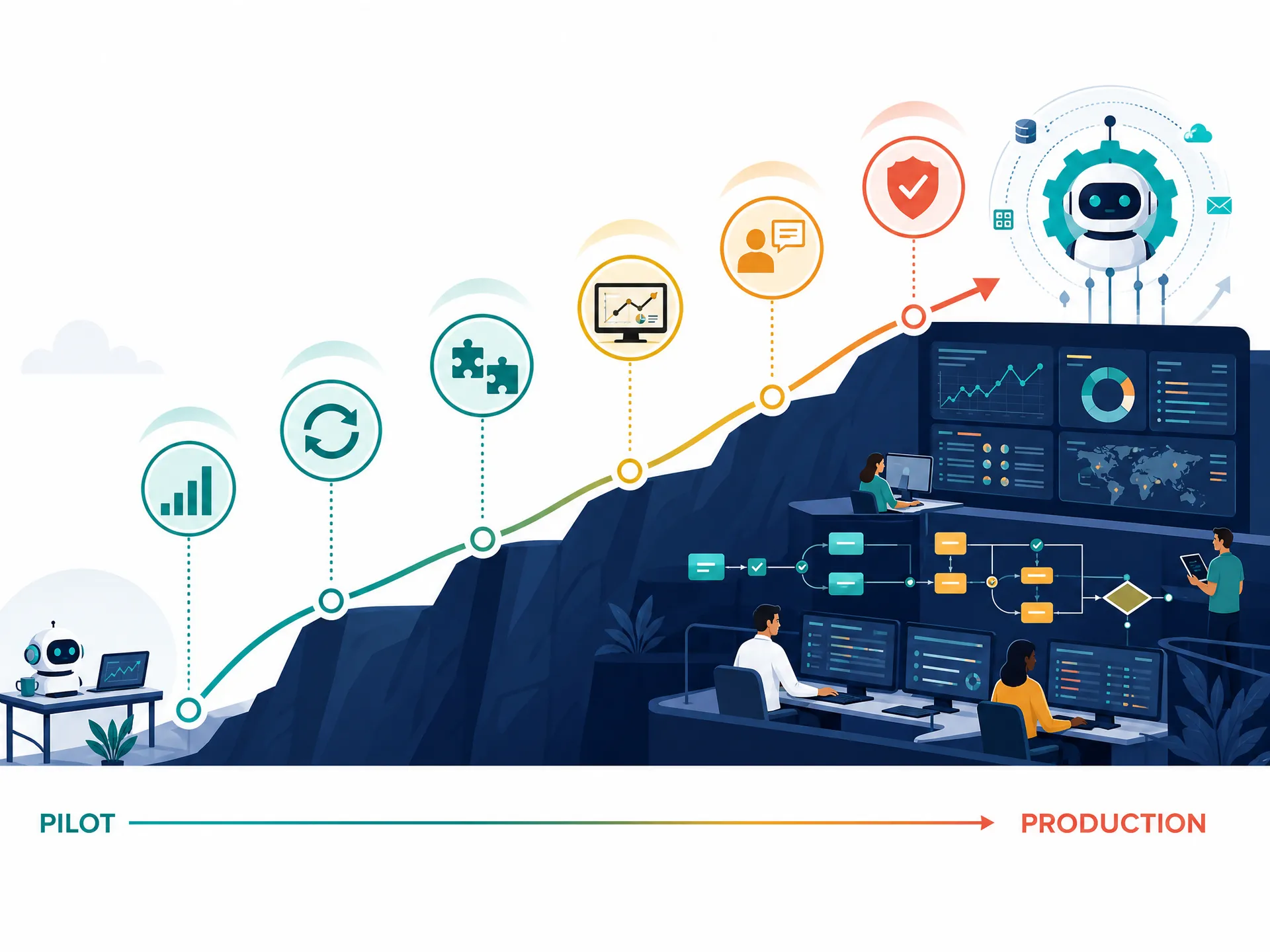
Why pilot budgets and production budgets differ
A pilot often uses a small set of friendly examples. Production receives incomplete messages, unusual files, repeated requests, peak demand, and people who do not know the system’s boundaries. Production also needs monitoring, support, backups, access reviews, and a clear owner.
Separate the two budgets. The pilot should pay for setup, test data, evaluation, and a limited number of runs. The production plan should add realistic volume, exception handling, staff review, security maintenance, and a reserve for unexpected demand. If the pilot is free because a provider offers credits, record the normal price anyway. Otherwise, the business may mistake a temporary discount for a permanent cost advantage.
A practical budgeting exercise for a small team
Choose one narrow workflow and write down its completed outcome. For example, the outcome might be a correctly classified enquiry with a draft response ready for approval. Count how many such cases the team handled last month. Then inspect a sample of normal and difficult cases.
Record the number of model calls, retrieved documents, tool calls, retries, and minutes of human review. Note which steps are fixed and which steps grow with volume. Add the subscription, hosting, monitoring, and maintenance costs that would remain even if the workflow processed no cases for a week.
Next, set three scenarios. The first is a conservative pilot with limited volume. The second reflects normal demand. The third includes a busy period, a high share of difficult cases, and a temporary failure that requires manual recovery. This range gives the team a more realistic basis for deciding whether to proceed.
When an AI agent is financially sensible
An agent is worth considering when it handles a frequent, well-defined task, produces a result that someone can check, and removes enough low-value work to justify its total cost. The benefit may come from faster response times, fewer manual transfers, better consistency, or the ability to handle demand without adding another repetitive process.
Do not measure success by the number of automated steps. Measure the cost of a correct outcome before and after deployment. Include review time, corrections, subscriptions, and maintenance in both comparisons. If the agent is cheaper only when nobody checks its work, the budget is hiding the real cost.
Final budgeting checklist
Before approving an AI-agent project, confirm that the team has estimated routine and peak volume, model usage, tool calls, storage, hosting, monitoring, security, human review, maintenance, and recovery. Record the assumptions with a date and name an owner who will compare them with actual usage.
The safest budget is not the one with the smallest first estimate. It is the one that makes every important cost visible before the workflow becomes difficult to stop.