
Running a business alone means switching between sales, delivery, administration, marketing, customer support, bookkeeping, and planning before lunch. The difficulty is not a lack of ideas. It is the number of small decisions competing for attention.
AI tools can reduce that pressure, but only when each one has a defined job. A writing assistant cannot replace a bookkeeper, a transcription tool cannot decide whether a customer is telling the truth, and an automation platform cannot repair a confusing process. The useful question is not which AI product looks most impressive. The useful question is which part of the owner’s week is slow, repetitive, or easy to postpone.
This guide compares twelve practical tools by the work they can support. It does not treat every product as essential. A solo owner may need only three or four tools, and a small, dependable stack is usually easier to control than a collection of subscriptions that nobody reviews.
How to choose an AI tool when you are the whole team
Start with a weekly task list. Mark the activities that happen often, follow a recognisable pattern, and consume attention without creating much strategic value. Examples include drafting routine replies, turning a voice note into a task list, resizing a social graphic, summarising a long report, or moving information between two business applications.
Avoid automating a task merely because it is possible. A task can seem repetitive but still require judgement, confidentiality, or detailed customer knowledge. The UK Government’s Business Academy advises businesses to start with the impact they want, describe the process and result, and then choose tools that fit the data and decisions involved. [1]
Use four tests before subscribing. The tool should solve a problem that occurs often enough to matter. Its output should be easy for you to inspect. Its data practices should fit the information you plan to provide. Its cost should be reasonable compared with the time, errors, or missed opportunities it may reduce.
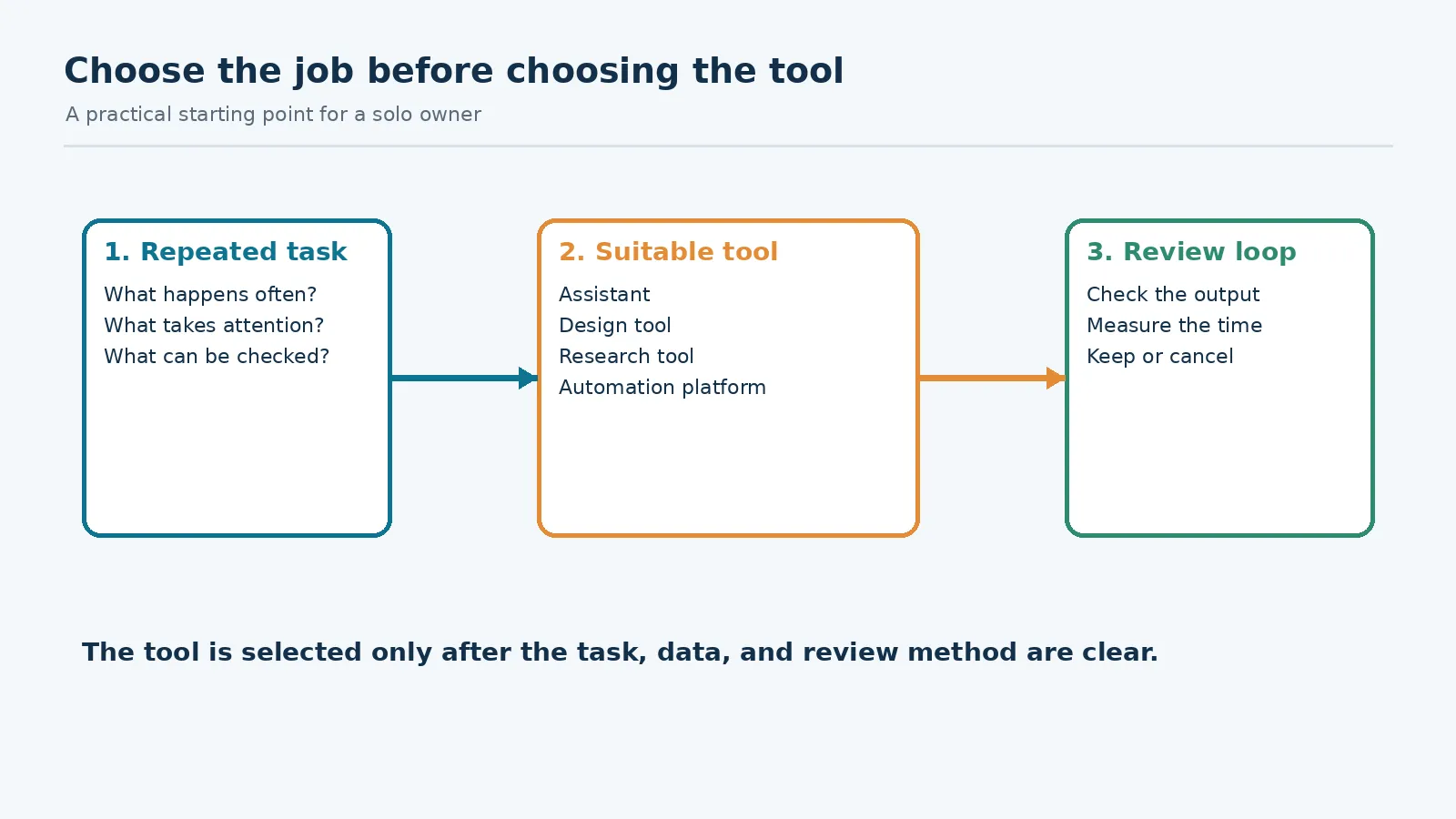
Choose the repeated job first, then select a tool and define the review loop.
1. ChatGPT for drafting, thinking, and first-pass analysis
A general-purpose assistant can help a solo owner turn rough notes into a client email, outline a service page, prepare interview questions, compare options, or create a first draft of a standard operating procedure. It is most useful when the owner already knows the business and can supply the context that the tool lacks.
Give the assistant a clear role, the intended reader, the source material, and the required format. Ask it to identify assumptions and missing information rather than presenting every answer as certain. Use it for preparation and revision, but review facts, promises, figures, and customer-specific statements before sending anything.
2. Claude for long documents and careful editing
Claude can suit owners who regularly work with lengthy briefs, policy documents, proposals, or interview transcripts. A solo consultant might ask it to compare a tender request with a draft response, identify unanswered questions, or create a plain-English summary for a client.
The benefit is not that a long document becomes automatically reliable. The benefit is that the owner can organise a large amount of material into a reviewable first pass. Keep the original document beside the output. Ask for page or section references when the task depends on evidence.
3. Gemini for work connected to Google services
Gemini may be useful for owners whose work already lives in Google Workspace. It can support drafting, summarising, planning, and organising information within a familiar environment, depending on the account and features available.
The important question is whether the connection saves a real transfer step. If you constantly copy information from email into a document or from a meeting note into a task list, an integrated assistant may reduce friction. Check the account settings before placing client or financial information into any connected service.
4. Perplexity for research with visible sources
Perplexity is useful for an initial research pass when a solo owner needs market context, a list of competitors, or background for an article. Its value depends on the quality and relevance of the sources it displays.
Treat the result as a research map rather than a finished report. Open the cited pages, check publication dates, separate primary evidence from commentary, and record the sources that support any important claim. A confident paragraph does not become reliable simply because it contains links.
5. Notion AI for notes, plans, and internal knowledge
Notion AI can help an owner turn scattered notes into a project brief, extract actions from a meeting page, or create a first version of a frequently asked questions document. It works best when the workspace already has clear pages, naming conventions, and ownership.
Do not expect AI to create an orderly knowledge system from an unstructured workspace. Decide which page is current, which information is private, and when to archive outdated material. Clear organisation gives the assistant better material to work with and makes the result easier to check.
6. Canva for visual marketing work
Canva can reduce the time needed to create social graphics, presentation slides, simple lead magnets, and branded layouts. It is useful for an owner who understands the message but does not want to begin every visual task with a blank page.
Use a small brand kit rather than accepting every generated suggestion. Check names, prices, claims, accessibility, image licences, and the accuracy of any text placed inside a design. Visual polish should support a clear offer, not distract from one.
7. Adobe Express for quick branded content
Adobe Express can support fast resizing, social content, simple promotional designs, and lightweight video or image editing. It may suit a business that already uses Adobe services or wants a more familiar bridge between templates and creative production.
The same rule applies as with any design assistant: inspect the final file at the size customers will see. Check small text, contrast, spelling, contact details, and calls to action. A tool that produces a graphic quickly can also reproduce an error quickly.
8. Descript for turning recordings into usable content
Descript is designed around audio and video editing through transcripts. A solo coach, trainer, or consultant can use that approach to turn a recorded session into a rough article, a short clip, or a list of follow-up topics.
Review the transcript against the recording before publishing. Names, figures, technical terms, and sarcastic remarks are common sources of mistakes. Label quotations clearly and obtain the necessary permission before reusing a customer’s voice, image, or comments.
9. Otter for meeting and interview capture
Otter can help capture discussions and produce searchable transcripts or summaries. This may save time when an owner needs to remember decisions, extract actions, or revisit a discovery call.
Tell participants when recording or transcription is taking place, follow the rules that apply to the conversation, and avoid treating an automatic summary as the official record until someone checks it. Keep only the material that has a defined business purpose.
10. Zapier for connecting routine applications
Zapier links familiar services so that a completed event can trigger a defined follow-up. A completed enquiry form might create a task, add a contact to a permitted list, or send a notification. The best automations are narrow enough to explain in one paragraph.
Begin with a process that has a clear trigger, a clear destination, and a safe recovery route. Test duplicate submissions, missing fields, failed connections, and unauthorised data. Do not connect an automation to every application merely because the platform supports that connection.
11. Make for more visual multi-step workflows
Make can suit an owner who needs to inspect a workflow with several visible stages. A workflow might receive a form, classify the request, prepare a draft, save supporting information, and ask for approval before sending a message.
More steps mean more places for the process to fail. Draw the workflow before building it. Define what happens when a service is unavailable, a field is empty, or the classification is uncertain. Pause for human approval before any step that could affect money, legal commitments, reputation, or customer service.
12. Grammarly for editing and consistency checks
Grammarly can help an owner review spelling, grammar, tone, and some clarity patterns before publishing or sending a message. It is especially useful when the owner writes quickly and edits late at night.
Treat its suggestions as editorial advice, not as an authority on facts or voice. Accept a change when it improves the sentence without changing the meaning. Reject a change when it removes a necessary technical term, alters a promise, or makes the writing sound unlike the business.
Build a small stack instead of collecting subscriptions
The twelve tools above cover different jobs. A practical starting stack might contain one general assistant, one design tool, one transcription or meeting tool, and one automation platform. Add a research tool if the business depends on regular market or competitor work. Add a document or project assistant only when the existing filing system is clear enough to support it.
Create a simple tool register. For each tool, note its purpose, connected applications, data inputs, reviewer, renewal date, and cancellation route. Review the register every few months. A service that helped during a launch may not earn its place in day-to-day operations.
Keep the register practical rather than turning it into another administrative burden. One page is enough for most solo businesses. Note the normal starting point, the expected result, and the manual fallback for each tool. If you cannot explain what happens when the tool fails, the workflow is not ready for unattended use. A short record also makes it easier to stop a service without losing important files, contacts, designs, prompts, or customer history.
Separate experiments from live work. Try new features with sample material or copied files before connecting them to active customer records. Give the experiment an end date and decide what evidence would justify keeping it. This prevents a temporary trial from becoming a permanent cost or an unnoticed source of business information.
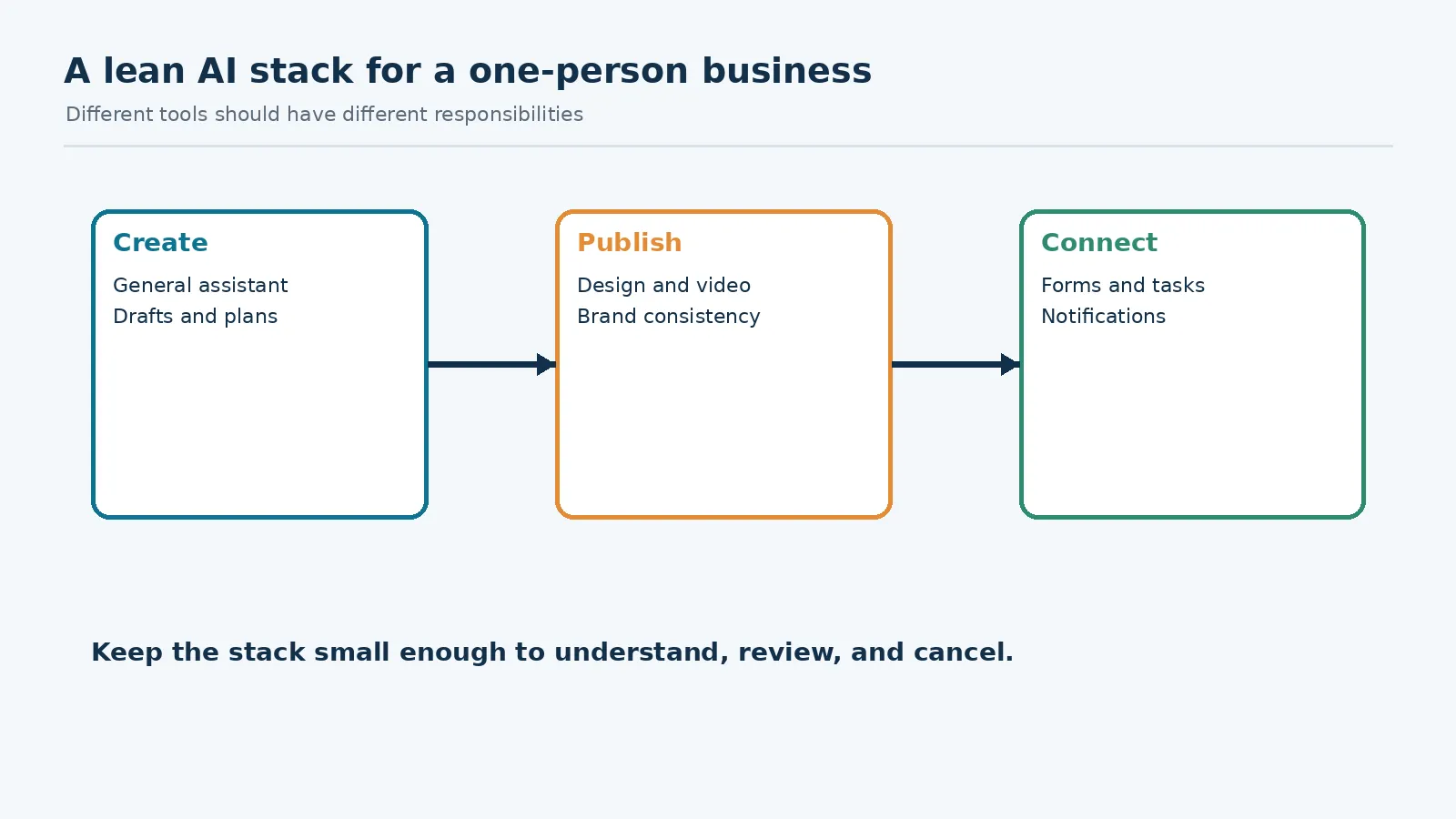
Keep the AI stack small enough to understand, review, and cancel.
Measure the result in business terms. Track preparation time, editing time, missed follow-ups, corrections, customer response time, and work that moved from an evening task into normal working hours. Do not count generated words or automated steps as success by themselves.
The NIST AI Risk Management Framework urges teams to keep trustworthiness under review across an AI system’s lifecycle. [2] For a solo owner, that principle can become a simple habit: know what the tool is doing, check the result, protect the information, and stop using the tool when its risk outweighs its benefit.
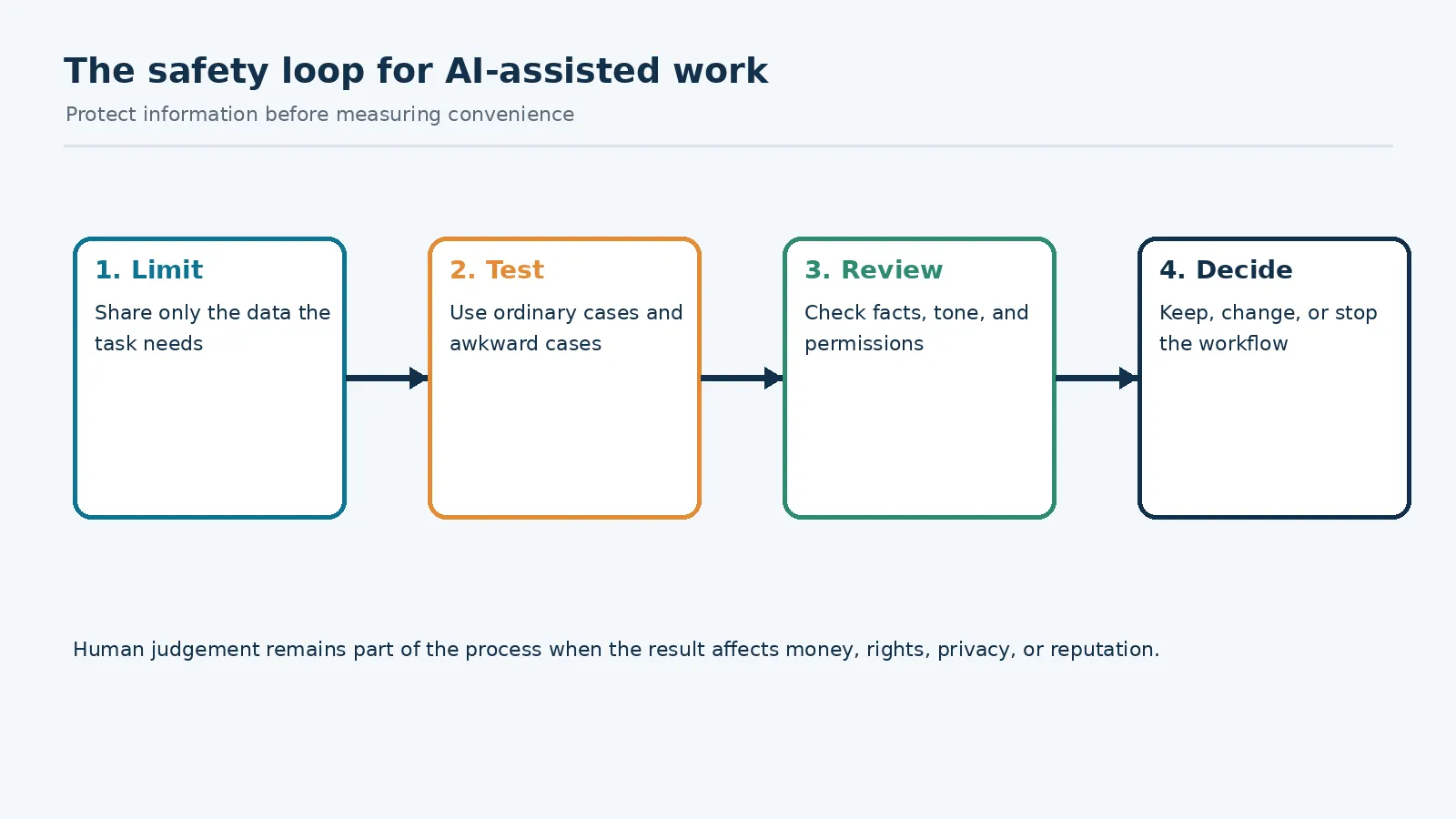
The safety loop keeps information limits and human review in the workflow.
A sensible first week
On the first day, choose one repeated task and write down the current process. On the second day, decide what information the tool may receive and what it must never receive. On the third day, run five real examples, including one awkward case and one case with missing information. On the fourth day, record the corrections and adjust the instructions. On the fifth day, compare the time saved with the subscription cost and the effort needed to check the output. Keep the record so a later review can compare the assisted process with the original as the business changes.
The strongest choice for a solo business owner is rarely the most feature-packed product. It is the one that removes a specific burden while leaving the owner able to understand, correct, and stop the work. That balance matters more than novelty. A small, familiar system can create more value than a complicated collection of assistants that quietly increases the owner’s workload.