
A customer-support agent rarely asks a question using the exact words found in a help article. A customer may write, “My replacement still hasn’t arrived,” while the knowledge base describes “delayed fulfilment of an approved exchange”. Traditional keyword search can miss that connection. A vector database helps an application compare the meaning of the question with the meaning of stored content.
That description is useful, but it can make vector databases sound mysterious. A vector database is not a mind, a chatbot, or a complete customer-service platform. It is a system for storing numerical representations of content, organising those representations for search, and returning nearby matches. Google Cloud defines vector databases in terms of storing, indexing, and querying vector embeddings, which represent data such as text, images, or audio numerically. [1]
This article follows one fictional support team as it builds a small search assistant for replacement-order questions. The example explains embeddings, similarity, indexes, metadata filters, hybrid search, reranking, and the limits of the technology without assuming a machine-learning background.
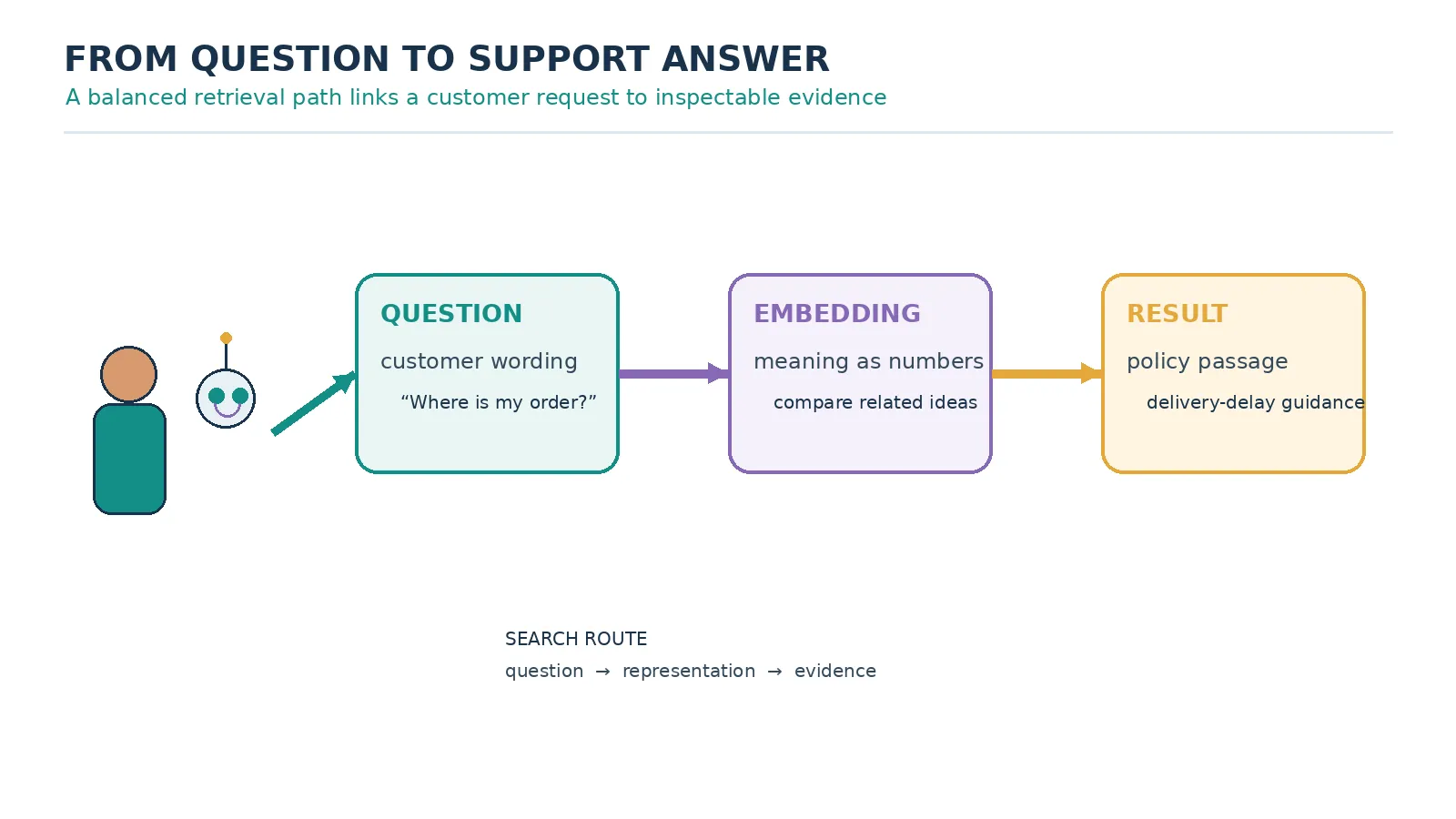
Start with the support problem, not the database
The team begins with a measurable task: help agents find the approved answer to a customer’s question about a replacement order. The first release will cover delivery delays, damaged goods, eligibility, refund timing, and escalation routes. It will not attempt to answer every question about the company.
The team collects representative queries from support training material, including clear questions, informal wording, spelling mistakes, incomplete details, and questions that require a human decision. For each query, it records the preferred article, the relevant section, and whether an answer is permitted.
This matters because a vector database is only useful when retrieval supports a real decision. If the team measures success by how quickly it can insert vectors, it may optimise the storage mechanism while ignoring whether agents receive the correct policy.
What is a vector embedding
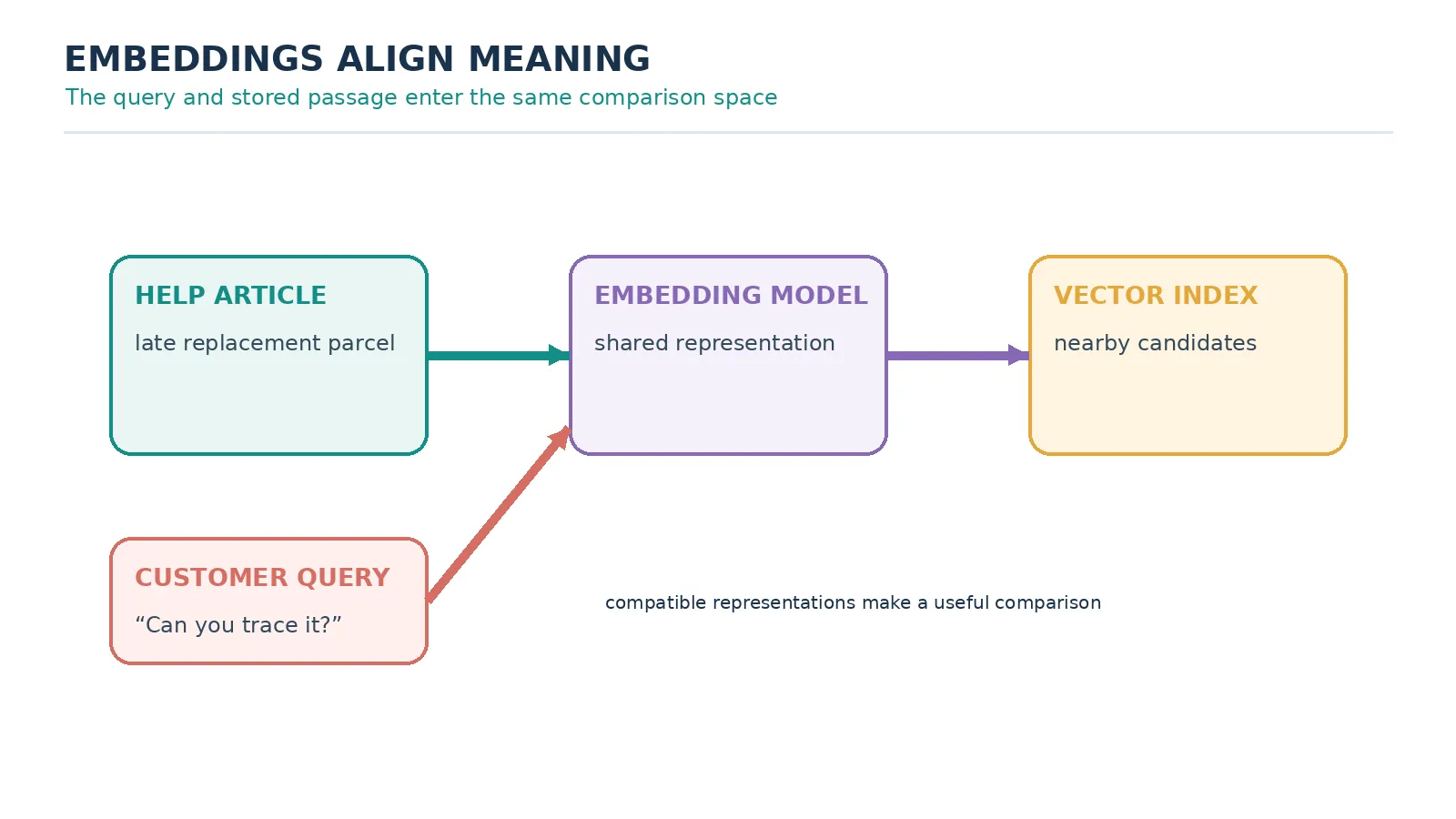
An embedding is a list of numbers produced by an embedding model. The model converts a piece of text into a position in a high-dimensional mathematical space. Texts with related meanings may be positioned near one another, while unrelated texts may be farther apart. Google describes embeddings as numerical representations that let systems compare content by context and meaning, not solely by shared vocabulary. [1]
Consider a support library containing an article about a replacement parcel held at a depot. A customer might write, “My second item has not arrived; can you trace it?” The page and the question use different wording, but they describe a related delivery problem. An embedding model turns both pieces of language into comparable numerical patterns, allowing the search layer to place the article among the possible results.
The resulting numbers are working coordinates, not an explanation that a support agent can read. They neither replace the source policy nor justify a customer promise. Store the passage, its URL, title, revision, and permission details beside the vector. An agent can then inspect the original evidence before using any retrieved guidance.
How the customer-support retrieval path works
The team’s indexing process begins with approved help articles. Each article is divided into sensible passages, and the embedding model creates one vector for each passage. The application stores the vector with the passage identifier and metadata such as topic, region, language, publication status, and source URL.
When an agent submits a question, the application sends the question to the same or a compatible embedding model. It searches for stored vectors that are close to the query vector. The result includes the matching passages and their metadata. A later component may show those passages directly, or provide them to a language model that drafts a response.
Pinecone describes this general flow as embedding the content, storing the vectors with references to the original material, embedding a query, retrieving similar vectors, and using the associated content in the application. [2] The reference is important: the vector is a route to evidence, not the evidence that a customer should read.
Similarity is a ranking signal, not a verdict
A vector search returns items according to a distance or similarity measure. Common measures include cosine similarity, dot product, and Euclidean distance. Google Cloud documents these measures as ways to estimate proximity between vectors. [1]
The score helps the system rank candidates, but the top-ranked passage still requires verification before it becomes an answer. A short article about delayed exchanges may be semantically close to an article about delayed refunds. The support application still needs metadata, wording, business rules, and human evaluation to separate them.
Set a retrieval threshold only after testing real examples. A high threshold may omit useful passages with different wording. A low threshold may return loosely related material. Keep the score for diagnosis instead of presenting it to an agent as a guarantee of truth.
Why a vector index is needed
A small collection could compare a query with every stored vector. As the collection grows, that approach may take too long or consume too many resources for an interactive application. A vector index organises the collection so likely neighbours can be found more efficiently.
Google explains that exact nearest-neighbour search compares a query with every candidate, while approximate nearest-neighbour techniques trade a small amount of recall for faster retrieval in many applications. It also describes index structures based on clusters, graphs, or trees, each with different speed, memory, and build-time trade-offs. [1]
The support team should choose an index from evidence, not reputation. Test each candidate with the collection’s passage length, query language, update frequency, latency target, and acceptable miss rate. A faster lookup is not an improvement when the correct article disappears from the results.
Metadata makes search practical
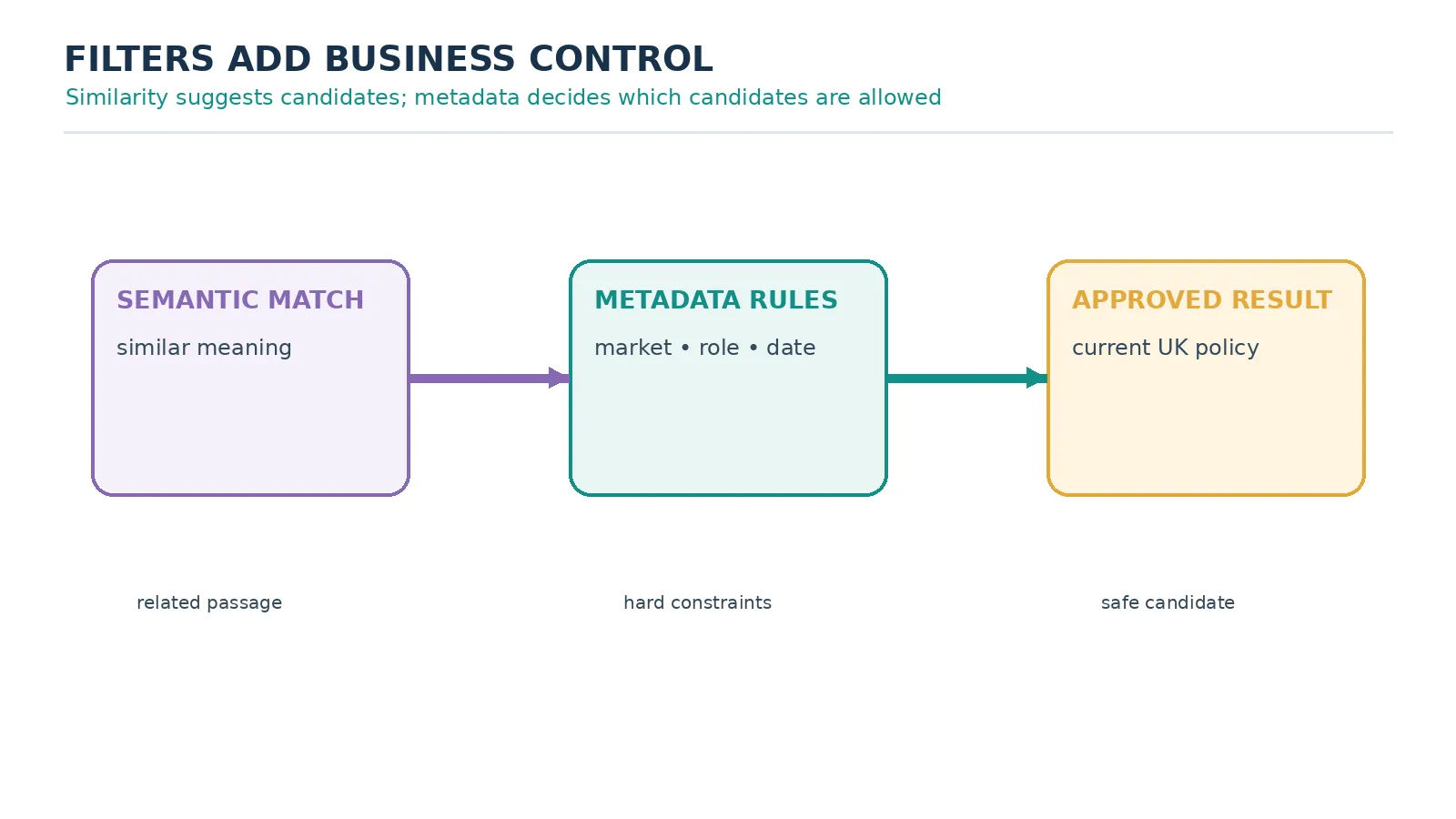
The support team adds fields that keyword or vector similarity cannot safely infer. Each passage receives a product line, market, language, customer type, policy status, effective date, and access group. A query about a UK customer should not rank an expired US procedure above the current UK guidance merely because the wording is similar.
Metadata filters can apply hard conditions before or alongside similarity ranking. “Find passages about a delayed exchange” is a semantic request. “Only use current guidance for the UK returns team” is a business constraint. Combining the two produces a more useful search than either one alone.
Keep metadata values consistent. “UK”, “United Kingdom”, and “GB” may represent the same region to a person but different values to a filter. Define controlled values, validate them during ingestion, and record what happens when a document has no reliable value.
Keyword, vector, and hybrid search
Keyword search remains valuable for exact identifiers, order numbers, error codes, product names, and legally significant phrases. Vector search is helpful when the wording varies or when the user describes an idea without knowing the official term.
A hybrid search combines both signals. For the support team, a query such as “exchange 48271 late” needs the exact order identifier and a semantic understanding of the delay problem. The application can use lexical matching for the identifier and vector retrieval for related guidance, then merge or rerank the candidates.
Do not treat semantic search as a universal replacement for exact search. Test both methods on the support question set. Record which questions need exact matching, which need meaning-based retrieval, and which benefit from both.
Where reranking and language models fit
The first retrieval stage may return ten or twenty candidate passages. A reranker can examine the query and candidates together and produce a more refined order. The application may then pass the best passages to a language model to create a concise answer with citations.
This architecture separates retrieval from generation. If the wrong passage is retrieved, a more fluent language model may produce a more convincing error. Ask the retrieval system to preserve source identifiers, titles, sections, revision dates, and links. Require the answer component to stay within the supplied evidence and say when the evidence is insufficient.
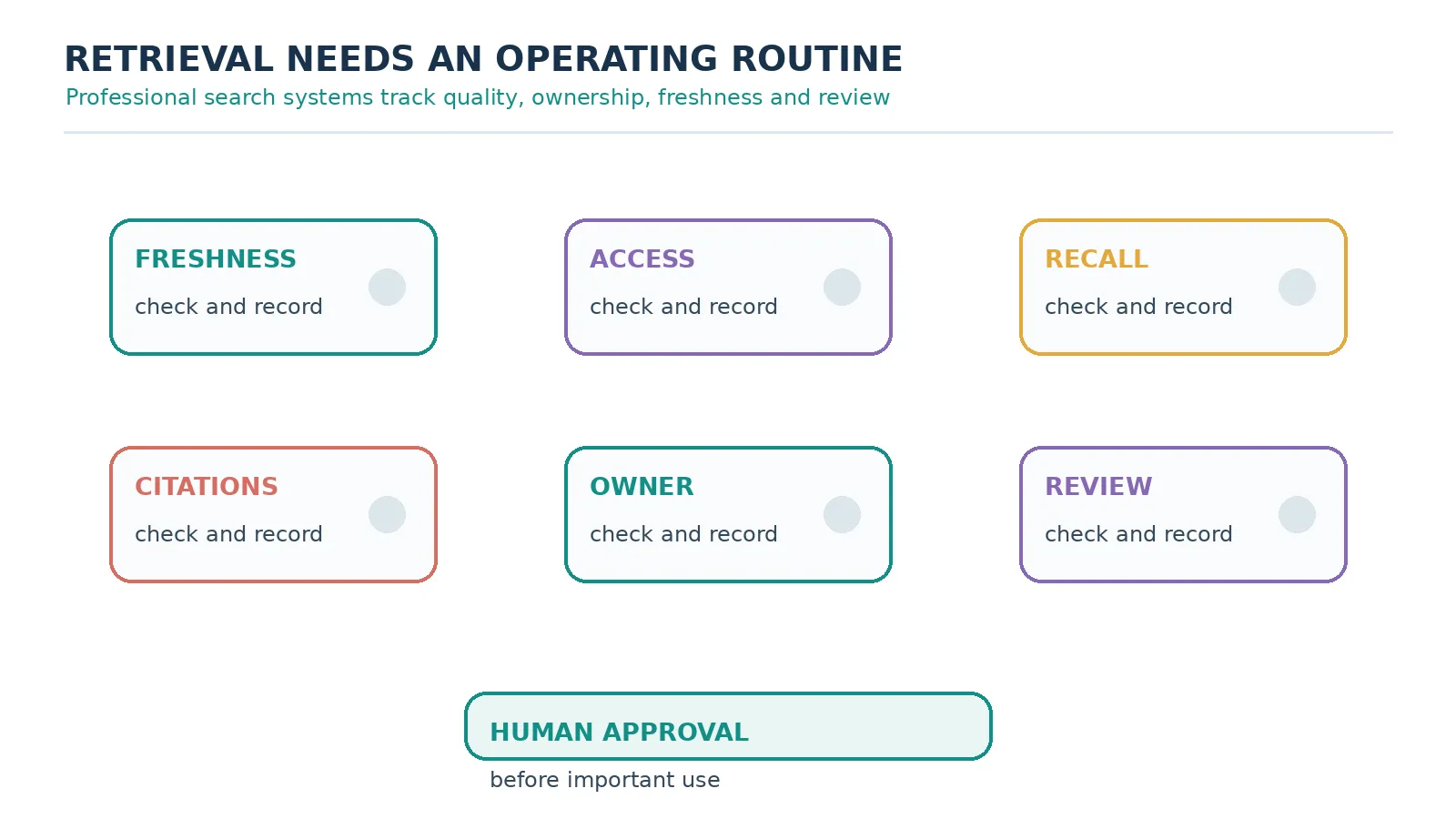
A vector database does not replace document ownership, policy review, or customer-service judgement. It supplies candidate passages, while the surrounding application decides how those passages may be used.
Freshness, updates, and deletions
A support article can change after a refund rule is revised. The team needs a way to update the stored passage, regenerate its embedding, refresh its metadata, and remove old versions from retrieval. Pinecone highlights freshness as an important consideration when vector databases support knowledge applications. [2]
Give each passage a stable source identifier and version. Do not create a new, indistinguishable copy on every indexing run. Record when an embedding was generated, which model created it, and which source revision it represents. If the embedding model changes, plan a controlled re-embedding exercise and compare retrieval results before switching traffic.
Deletion is part of freshness. A document removed from the source system should not remain discoverable because its vector was forgotten. Test updates, permission changes, expired policies, and deleted articles as deliberately as new content.
Security and privacy boundaries
A vector may look like an abstract list of numbers, but it is linked to source content and can help retrieve sensitive material. Apply access rules before returning passages. Store only the content needed for the approved search purpose, protect credentials, and avoid placing personal customer details in development indexes.
Test whether a restricted article can appear in a result title, snippet, citation, generated answer, cache, or log. Test with representative roles instead of relying only on an administrator account. For a customer-support application, make sure agents see the guidance appropriate to their market and authority.
The safety boundary also includes the customer. A helpful search result should not encourage an agent to invent a delivery promise, override a fraud control, or disclose internal notes. High-impact exceptions should have an explicit escalation path.
Measure the system with support questions
Build an evaluation set before changing the embedding model or index. Include paraphrases, short queries, identifiers, misspellings, multilingual examples if relevant, ambiguous requests, obsolete-policy traps, and questions that should not receive an automated answer.
Measure whether the expected passage appears in the top results, how often restricted content is excluded, how quickly the result arrives, and how frequently an agent accepts or corrects the suggestion. Review failures by category: missing source, poor extraction, unsuitable chunk, metadata error, embedding mismatch, ranking problem, stale document, or unsafe generation.
A system can score well on average while failing the few cases that matter most. Weight escalation, refunds, safety, and privacy scenarios more heavily than routine questions.
A simple vector-database decision guide
| Requirement | Useful capability | Support example |
|---|---|---|
| Different wording | Embeddings and similarity search | “Where is my replacement?” finds delayed-exchange guidance. |
| Exact identifier | Keyword or lexical search | Order number and error code remain searchable. |
| Hard business rule | Metadata filtering | Limit results to current UK returns policy. |
| Large collection | Vector indexing or ANN search | Find candidates within an interactive response time. |
| Reliable answer | Source references and reranking | Keep the article title, revision and section attached. |
| Changing knowledge | Upserts, versioning and deletion | Replace an outdated refund procedure. |
| Restricted content | Permission-aware retrieval | Prevent an internal fraud note reaching a general agent. |
| Accountable release | Evaluation set and human review | Test difficult support questions before launch. |
Choose the smallest architecture that proves value
A pilot may need an approved article collection, an embedding model, a vector-capable store, metadata fields, a retrieval API, a test set, and a visible link to each source. It may not need a complex agent framework, a custom training programme, or a large cluster on its first day.
Start with one support domain and compare the new retrieval path with the current search tool. Keep a baseline, record failures, and improve the content or metadata before adding infrastructure. If keyword search already solves an exact-code problem, retain it. If semantic retrieval helps paraphrased questions, add it where evidence shows a benefit.
For the pilot, keep a record of each question, retrieved passage, filter decision, answer citation, agent correction, and final outcome. This evidence lets the team distinguish a retrieval failure from a content gap and decide whether better documents, metadata, ranking, or human handling will deliver the next improvement. Review the record weekly, select a small set of failed searches, and assign each correction to a named owner. Keep successful examples too, because they show which query patterns, filters, and source links already support dependable agent decisions.
| KEY TAKEAWAY: A vector database stores and searches numerical representations of content. In customer support, it can connect differently worded questions with related help passages, while metadata filters, exact search, source links, permissions, freshness checks, and human review keep the result useful and accountable. |
|---|
| SAFETY CHECK: Do not treat a similarity score as proof that an answer is correct. Protect source permissions, test restricted and expired content, preserve citations, remove deleted material, keep personal data out of development indexes, and require human escalation when a result affects money, rights, safety, privacy, or a customer promise. |
|---|