
Introduction
An AI agent becomes more useful when it can work with the software a business already uses. It may read an inbox, search a knowledge base, create a task, check a calendar, or prepare an update for a customer. Those connections also change the risk. A chatbot that gives a poor answer may waste time. An agent with broad access might alter a record, expose private information, or send a message that no employee has reviewed. The permission question is therefore about control as much as convenience: who can see the result, who can approve it, and how quickly can the business stop the workflow?
That is why permissions deserve attention before an agent goes live. The goal is not to make the system powerless. The goal is to give it enough authority to complete a clearly defined job and no more. This approach is commonly known as least privilege. For a small business, it is a practical way to limit the damage caused by a mistaken instruction, an outdated data source, or an unexpected chain of actions.
The NIST National Cybersecurity Center of Excellence is exploring standards-based ways to identify, manage, and authorise actions taken by software agents, including AI agents. This work signals a shift in how organisations should manage them. Organisations should give agents clear identities and defined permissions instead of treating them as ordinary chat features.
What do AI agent permissions control?
Permissions define the information an agent may access and the actions it may take. These are separate decisions. An agent may need to read a calendar to suggest meeting times, but it may not need permission to move appointments. It may need to read approved product information, but it may not need access to the company’s entire file store.
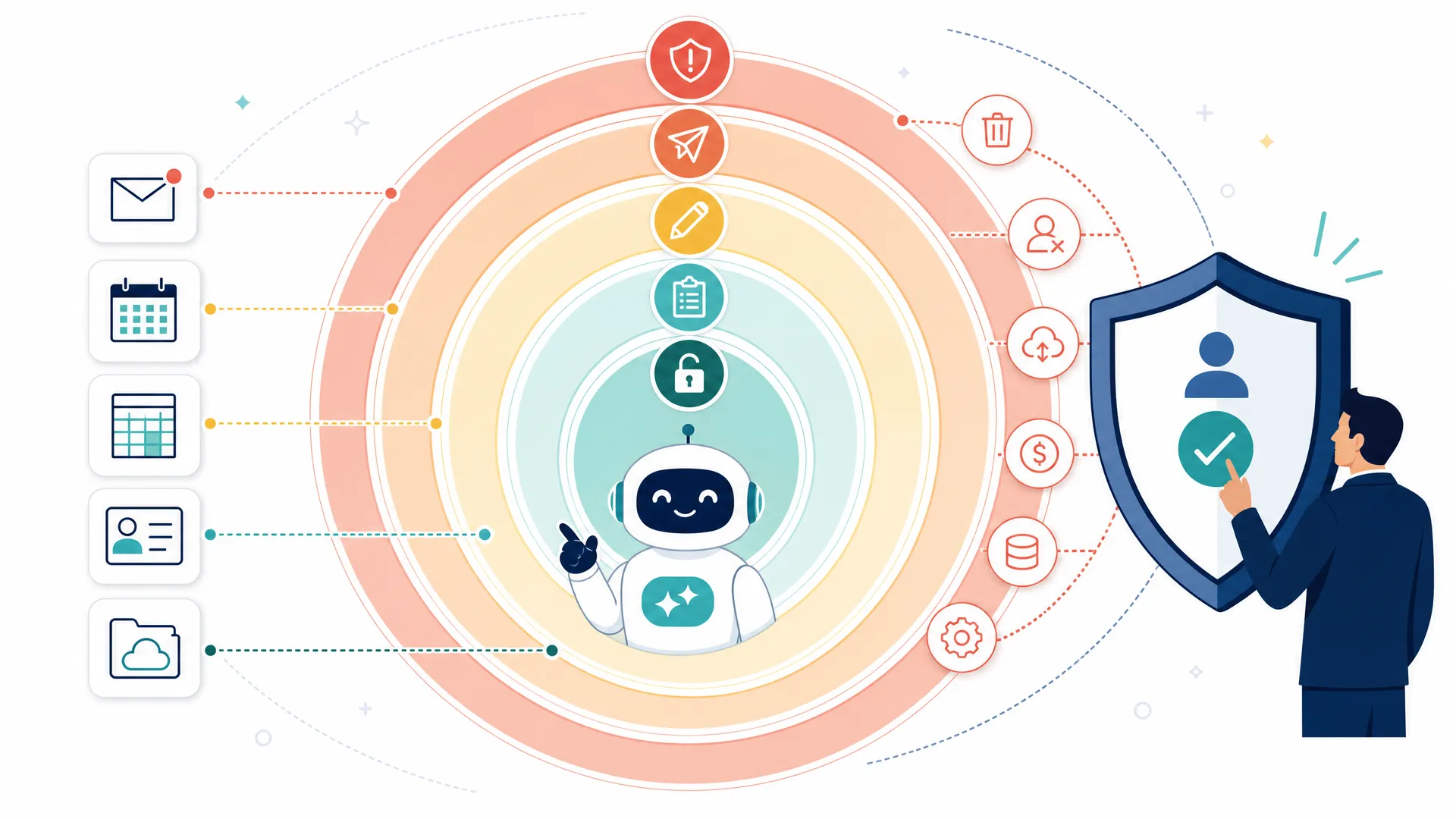
Review the agent’s authority in five separate areas.
| Permission area | The question to ask | Safer starting position |
|---|---|---|
| Data access | Which records may the agent read? | Give access to selected folders, fields, or knowledge sources. |
| Content creation | What may the agent prepare? | Allow drafts, summaries, and internal tasks. |
| Record changes | Which records may it edit? | Start with a test workspace or a narrow internal queue. |
| External actions | What may it send or publish? | Require approval before customer-facing communication. |
| High-impact actions | What could cause financial, legal, or reputational harm? | Block automatic action and require a named reviewer. |
This separation prevents a common mistake: granting one broad role because it is convenient. An agent that can read, edit, send, and approve may appear efficient, but the business loses useful boundaries when something goes wrong.
Begin with the smallest useful access set
Start with read-only access
Read-only access is often the best first step. It lets an agent find information, classify requests, compare records, and prepare suggestions without changing the original systems. A support agent might search approved policies and draft replies. A sales agent might review a lead form and prepare a follow-up task. Neither needs permission to delete records or send messages during the first test.
Read-only access does not remove every risk. Sensitive information can still be exposed if the agent receives more data than the task requires. Limit the source by folder, database view, workspace, or document collection. If the agent helps with product questions, do not automatically give it access to payroll, legal files, or private employee notes.
Give the agent its own identity
Avoid connecting an agent through an employee’s personal account when the platform supports a separate service identity. A dedicated identity makes it easier to see which actions came from the agent, change its access without disrupting an employee, and remove the connection when the workflow ends.
NIST’s AI Agent Standards Initiative highlights work on agent authentication, identity infrastructure, interoperable protocols, and security evaluations. Small businesses do not need to build a standards programme, but they should adopt the basic habit of naming each agent according to its job. “Support draft assistant” is easier to manage than an unnamed connection called “automation.”
Separate preparation from execution
An agent can often prepare useful work without carrying out the final action. It can create a draft email, assemble invoice details, suggest a calendar slot, or place a record in a review queue. An employee then confirms the result.
This arrangement creates a visible handoff. The reviewer can see the proposed action, the source information, and any uncertainty before deciding. It also makes testing safer because the agent’s output stays inside the business while the team learns how it behaves.
Use access levels instead of one broad role
A practical small-business setup can use four levels of authority. The first level allows the agent to read selected information. The second allows it to prepare drafts or internal tasks. The third allows limited changes to a controlled workspace. The fourth allows an external or irreversible action only after a person confirms it.
Do not treat these levels as a permanent ladder that every agent must climb. Many useful agents can remain at the first or second level. A system that prepares accurate customer replies for review may already save substantial time. More authority should follow evidence, not enthusiasm.
Read access
Choose the exact information the agent needs. A shared support folder may be appropriate for a support workflow, while the full company drive is not. Remove duplicate, outdated, or unrelated material from the source. Good access control cannot compensate for a knowledge base that contains contradictory instructions.
Preparation access
Allow the agent to create drafts, summaries, reminders, or internal tasks. Label each output as a draft so employees know it still needs approval. Store the work in a review queue or a dedicated workspace instead of mixing it with completed records.
Change access
If an agent must update a record, restrict the fields it may change. For example, it might add an internal category or a follow-up date without changing a customer’s contract, payment status, or contact details. Test the update on sample records before connecting it to live data.
Sending and approval access
External messages, purchases, refunds, account changes, and publishing actions deserve stronger control. The agent may prepare the content, but the person who approves it should have the authority and context to make the decision. Do not use a shared approval account that hides who confirmed the action.

Put boundaries around tools
An agent’s tools form part of its access profile. Calendar, email, spreadsheet, database, and payment tools each create different risks. Choose only the tools the agent needs for its assigned job. If it only needs to read a spreadsheet, do not connect a tool that can delete rows or share the file publicly.
AWS guidance for agentic workflows recommends scoped roles, permissions boundaries, separation of duties, and user confirmation for agent actions. In plain language, a permission boundary sets a ceiling. Even if an instruction asks the agent to do more, the system cannot cross that ceiling without a separate change.
Be careful with chained workflows. One agent may pass information to another service, which then calls a third tool. Review the complete path rather than approving each connection in isolation. A harmless-looking calendar assistant could become risky if it can also access customer data, send invitations, and change a booking.
Add time limits and review dates
Permissions should not last forever by default. A temporary project may need access for a week. A seasonal campaign may require a connection for one month. Add an expiry date when the platform allows it, or create a calendar reminder for a manual review.
Review the agent after a task change, a new tool connection, a source-data change, or an unexpected result. Remove access that the workflow no longer uses. Unused permissions are easy to forget and difficult to defend after an incident.
Keep an audit trail
A useful log should show when the agent acted, which identity it used, what tool it called, what record it touched, and whether a person approved the result. The log does not need to be complicated for a small business. A structured activity history in the automation platform may be enough for a first deployment.
Look for repeated failures, unusual access times, unexpected destinations, and actions outside the normal task pattern. Logs also help with improvement. If reviewers keep correcting the same field, the problem may be an unclear instruction or a poor source rather than a model issue.
Test access before live use
Test four cases: a normal request, an incomplete request, an unusual request, and a request outside the agent’s job. The agent should complete the normal case, ask for missing information in the second case, pause in the third case, and refuse or escalate the fourth case.
Test the permissions themselves, not only the agent’s answers. Try to make it read a restricted source, change a protected field, send a message without approval, or use a tool outside its assignment. A secure setup should block those actions and record the attempt.
Use a simple access review routine
Before launch, write one sentence that defines the agent’s job. Record the sources and tools it may use. Record the actions it may take, the actions it must avoid, the reviewer, and the review date. Keep this record beside the workflow instructions so a new employee can understand the setup without asking the original builder.
When the business expands the workflow, change one permission at a time. Test the new boundary, observe the results, and update the record. Small changes are easier to explain than a large permission rewrite that alters several parts of the system at once.
BOTTOM LINE: The safest access level is the smallest one that supports a useful task. Keep decisions and control with the business.
Conclusion
Giving an AI agent the right permissions is a design task, not a one-time settings exercise. Start with a separate identity, selected information, read-only access, and internal drafts. Add limited record changes only when testing shows that the agent behaves predictably. Keep external, financial, destructive, and high-impact actions behind a clear approval gate.
A small business does not need a complicated security department to follow these principles. It needs a written purpose, narrow access, visible logs, named reviewers, and regular permission checks. It should also keep a simple record of every approved connection and review that record when the workflow changes. Those habits make AI automation easier to trust and easier to correct when the workflow changes.
References
- NIST’s guidance on software and AI-agent identity describes current work on identifying and authorising software and AI agents.
- The NIST AI Agent Standards Initiative describes work on authentication, identity infrastructure, protocols, and security evaluation.
- The AWS Generative AI Lens guidance provides practical advice on scoped roles, access boundaries, and user confirmation.
- The OWASP State of Agentic AI Security and Governance report surveys governance and security practices for autonomous AI systems.
- Editorial note: Platform capabilities and regulations can change. Verify current product settings and applicable legal requirements before giving an AI agent access to business systems.