
AI note-taking is most useful when it removes clerical work without pretending to understand more than it does. A transcript can spare someone the chore of capturing every sentence by hand. A summary can turn a long conversation into a manageable brief. A research assistant can gather quotations, questions, and references into one working file. None of those outputs should be treated as a perfect record.
The right workflow depends on the kind of information being captured. A project meeting needs decisions and owners. An interview needs accurate quotations, speaker attribution, and careful handling of personal information. Research needs a trail from claim to source, including the places where the evidence remains uncertain.
Why one note-taking method does not fit every task
The word “notes” hides several different jobs. One person may want a searchable transcript. Another may need five actions before leaving a meeting. A researcher may need a map of claims, sources, methods, and unanswered questions. These outputs require different levels of detail and different review habits.
| Situation | Useful output | Main risk | Human review |
|---|---|---|---|
| Team meeting | Decisions, actions, owners, deadlines | A suggestion becomes a decision | Confirm with participants |
| Interview | Attributed excerpts, themes, follow-up questions | A paraphrase changes the speaker’s meaning | Check important passages against the recording |
| Research session | Claims, evidence, sources, uncertainties | A plausible summary loses the source trail | Verify every important claim |
A transcript is raw material. The raw record may include interruptions, incomplete thoughts, background noise, jokes, private remarks, and comments that the speaker later corrects. A summary is an interpretation of that material. Keeping those layers separate makes the final record easier to trust.
Begin with a capture decision, not a tool
Before enabling an AI assistant, decide whether recording or transcription is necessary. A short meeting about routine scheduling may need only a person’s handwritten action list. A sensitive discussion about health, performance, legal advice, or confidential finances may be unsuitable for an AI note-taking service altogether.
The University of California, Davis, advises meeting hosts to use recording and AI meeting tools only when necessary, to inform attendees, and to give them a meaningful opportunity to object before enabling the feature. Its guidance also recommends avoiding such tools for confidential, privileged, or sensitive personal information. [1]
Harvard’s guidance reaches the same practical conclusion. It warns that AI assistants may expose confidential information, preserve discussions indefinitely, discourage open conversation, and produce summaries that miss context or contain errors. It advises teams to use approved tools, obtain consent, review the output, limit access, and delete the record when it is no longer needed. [2]
These are useful workflow principles even outside universities. They do not replace the law or an organisation’s policy. They do provide a practical test: if the benefit is small and the information is sensitive, do not turn on the assistant simply because the button is available.
A simple pre-capture script
Tell participants what will happen before the recording begins. Explain whether the tool will create audio, a transcript, a summary, or all three. Say who will see the output, where it will be stored, how long it will be kept, and how someone can object or request a correction. If one person objects, pause and choose another method unless your organisation has a documented and lawful alternative.
Workflow one: Turn meetings into decisions and actions
A meeting workflow should not try to preserve every sentence in the final document. Its job is to separate decisions, open questions, actions, owners, deadlines, and information that still needs confirmation. The transcript can remain as a reference, but the working summary should help the team decide what happens next.
Start by giving the assistant a narrow format. Ask for five sections: decisions, actions, unresolved questions, important context, and items requiring confirmation. Tell it not to invent an owner or deadline. If the conversation contains a suggestion but no agreement, label it as a suggestion rather than a decision.
Participants should state each decision in precise terms while the meeting is still underway. A sentence such as “Let’s do that next week” leaves the date open. A sentence such as “Priya will send the revised plan by Thursday 12 June” is easier for both people and software to record. Good meeting habits improve the quality of the raw material.
Choose the lightest capture mode that meets the purpose. A typed action list may be enough for a short internal call. A full transcript is more defensible when exact wording matters, but it also creates a larger record to protect, review, and delete. The extra detail should earn its place.
After the meeting, appoint one reviewer. That person should compare the action list with the discussion, correct names and dates, and ask the group to confirm disputed points. The summary should not silently convert a possibility into a promise.
The meeting review pass
Check every action for four details: the verb, the owner, the deadline, and the intended result. Check every decision for evidence of agreement. Mark anything that cannot be confirmed. A short list with three accurate actions is more useful than a polished page containing eight invented commitments.
If the meeting changes direction halfway through, keep the earlier proposal visible as context. Do not delete it merely because the final decision is different. A record that preserves the change helps the team understand why the work took its final shape.
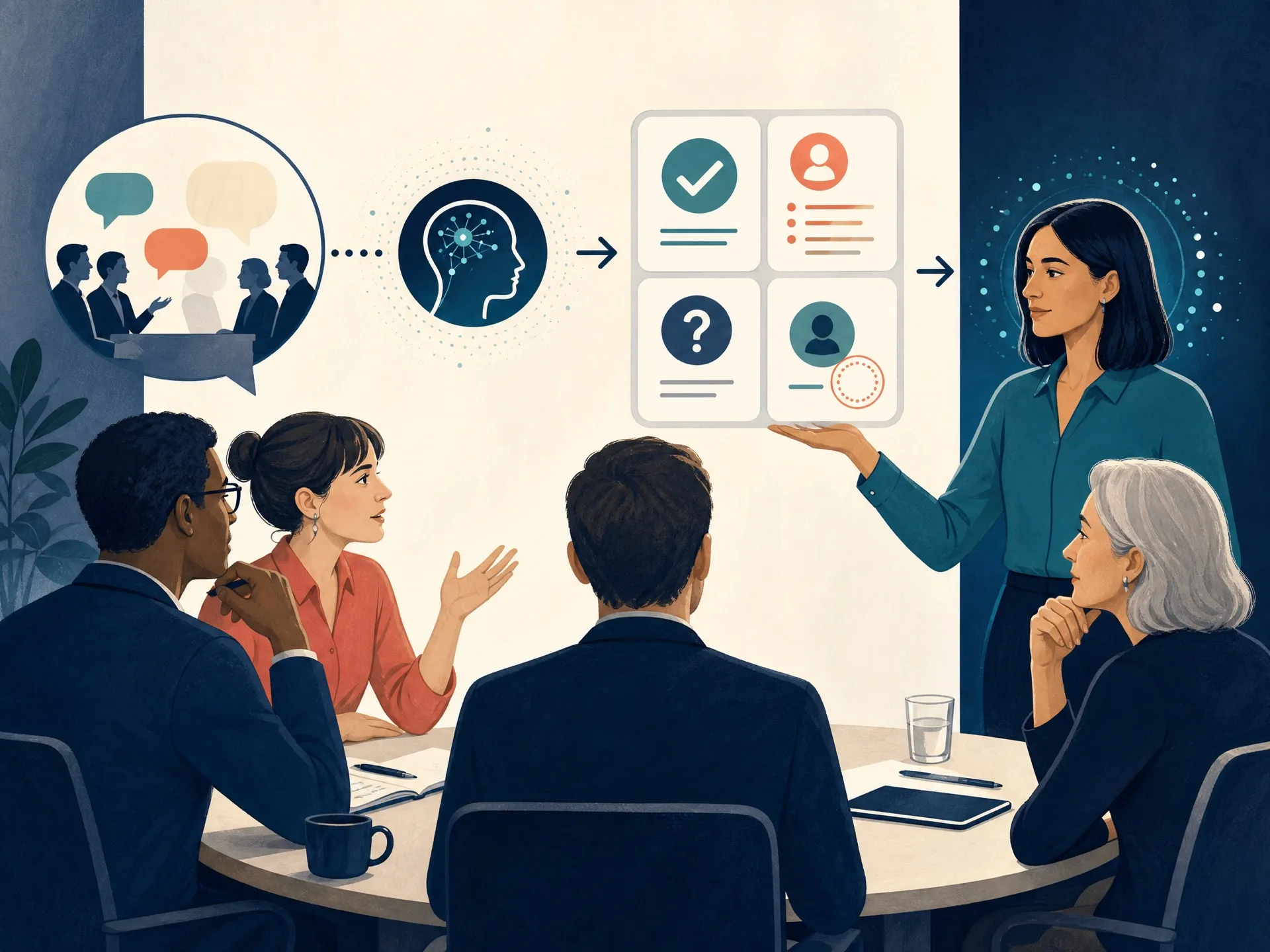
An effective meeting workflow turns conversation into a checked action list rather than an automatic record of every sentence.
Workflow two: Use AI to support interviews without flattening the speaker
Interviews require more care than ordinary meeting notes because the wording, pauses, and sequence may carry meaning. A summary can identify themes, but it cannot safely replace the original recording when an exact quotation matters. It may remove a qualification, join two answers, or attribute a statement to the wrong person.
Before the interview, define the output. Do you need a searchable transcript, a list of possible themes, a set of follow-up questions, or a draft article? Each purpose changes the review. Tell the assistant to distinguish direct quotations from paraphrases and to mark unclear audio rather than guessing.
Keep a speaker key. Note each person’s name, role, and the correct spelling of any names or organisations. If several people speak over one another, expect the transcript to need manual correction. Do not publish a quotation until a person has compared it with the audio and confirmed that it preserves the speaker’s meaning.
Review each interview in three passes. Create a rough transcript first. Group the material by theme in the next pass and mark possible quotations. Then return to the recording for every passage that will be published, used in a decision, or linked to a person’s reputation. Mark unclear sections instead of filling them with plausible words. A visible gap shows the reviewer where the audio needs attention.
Separate interpretation from evidence
Tell the tool to mark an interpretation as a theme rather than present it as a fact. For example, “the speaker appears concerned about staff training” is different from “the speaker said staff training was inadequate”. The first is an interpretation that a reviewer must verify. The second is a claim about the recording.
Keep a quotation ledger with the time stamp, speaker, exact wording, intended use, and review status. The ledger stops a loose paraphrase from being mistaken for an exact quotation later. It also makes it easier to remove a passage when the speaker withdraws permission or the editorial context changes.
If the interview covers health, employment, children, legal disputes, or private family matters, consider whether an AI service should receive the audio at all. A manual note-taking method or a locally controlled transcription process may be more appropriate. The tool’s convenience does not remove the interviewer’s responsibility for the information captured.
Workflow three: Build research notes that preserve the source trail
Research notes fail when they collect conclusions but lose the evidence behind them. An AI assistant may produce a neat paragraph that combines several papers, changes the strength of a result, or leaves the reader unable to identify which source supports each claim. The remedy is not a longer summary. It is a better record of the relationship between claim and source.
Use a claim card for each important idea. Give it a short claim, the supporting source, a page or section reference, the kind of evidence, the date of your last review, and a note about certainty. Add a field for disagreement. If two sources reach different conclusions, show the disagreement rather than asking the assistant to hide it behind one unsupported answer.
Ask the assistant to work in stages. Begin by extracting candidate claims without evaluating them. Link each claim to a source passage in the next pass. Then identify missing evidence, uncertain language, and questions for further reading. The researcher should decide whether the evidence justifies the final wording. Keep the draft claim separate from the source extract so later edits do not erase the distinction between what the source says and what the researcher infers.
The Information Commissioner’s Office also says an organisation should decide why it needs personal information, choose a lawful route before collection, record that choice, and explain it in the privacy notice. [3] This matters when research notes contain interview recordings, identifiable participants, or material copied from a restricted source. Keep the note-taking purpose clear and collect no more personal information than the work requires.
A research audit for plausible mistakes
Choose a sample of claims from the draft and trace each one backwards. Can you find the source? Does the source actually support the strength of the wording? Is the passage a quotation, a paraphrase, or your own conclusion? Has the source changed since you recorded it? A fluent summary that fails this audit is not ready for publication.
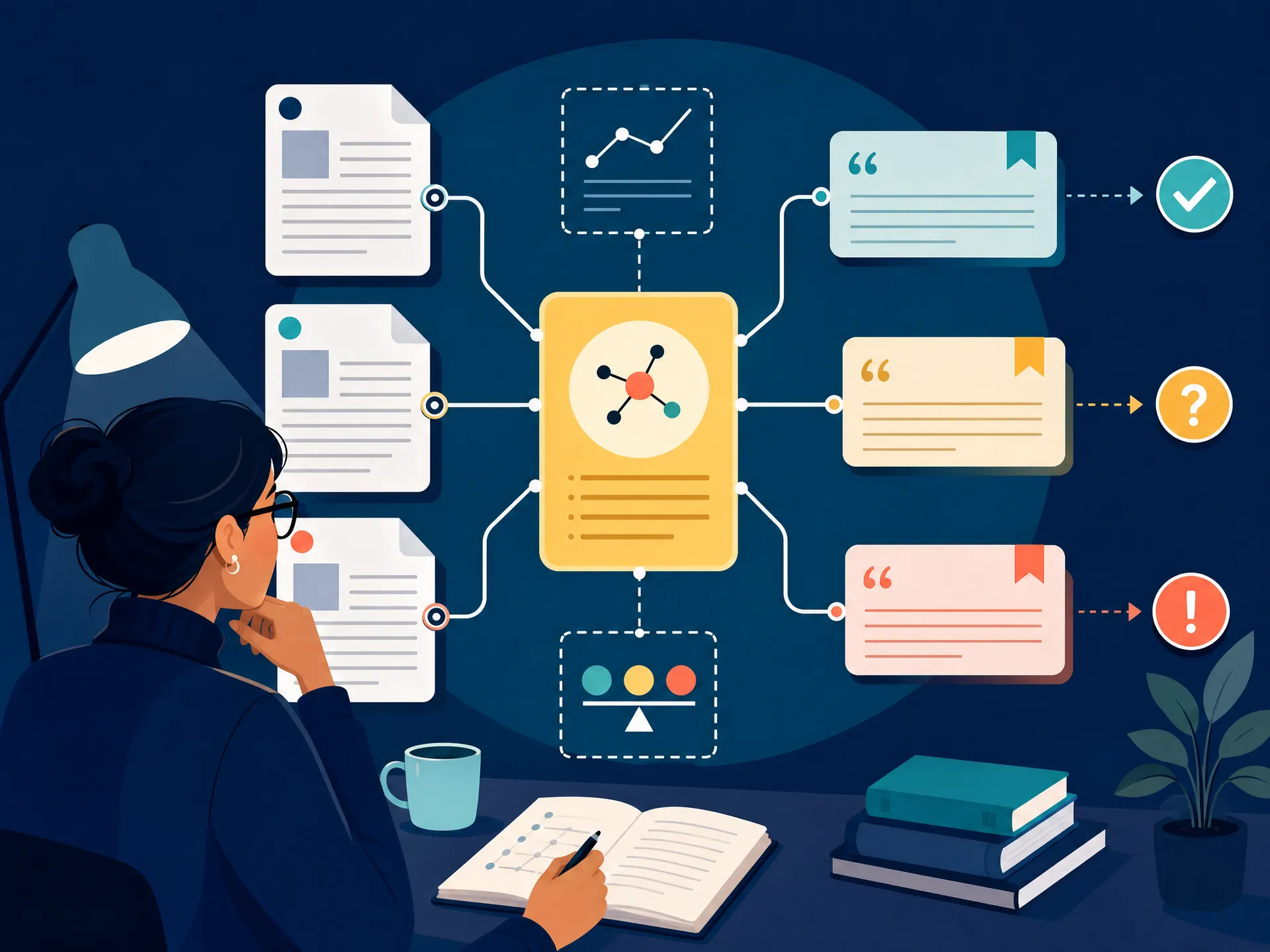
Research notes become dependable when every important claim points back to evidence that a person can inspect.
How to choose the right level of automation
The best workflow is not always the most automated one. A low-risk internal meeting may support live transcription and a draft action list. A sensitive interview may need local capture, a restricted transcript, and manual quotation review. A research project may use AI for sorting and comparison while leaving interpretation entirely with the researcher.
| Level | What the system does | Suitable control |
|---|---|---|
| Light assistance | Suggests headings, actions, or search terms | Person accepts each item |
| Assisted draft | Produces a transcript or structured summary | Reviewer checks the complete output |
| Connected workflow | Sends notes into project or research systems | Approval before sharing or changing records |
Do not measure success by minutes saved alone. Track correction time, missed actions, wrong names, unsupported claims, privacy questions, and the number of times a person had to reconstruct the original discussion. If the review takes longer than manual notes, the workflow may be solving the wrong problem.
A useful trial uses representative material. Include ordinary sessions, poor audio, interruptions, accents, technical terms, confidential passages, and conversations that change direction. Measure what the system gets wrong, not just how attractive the summary looks.
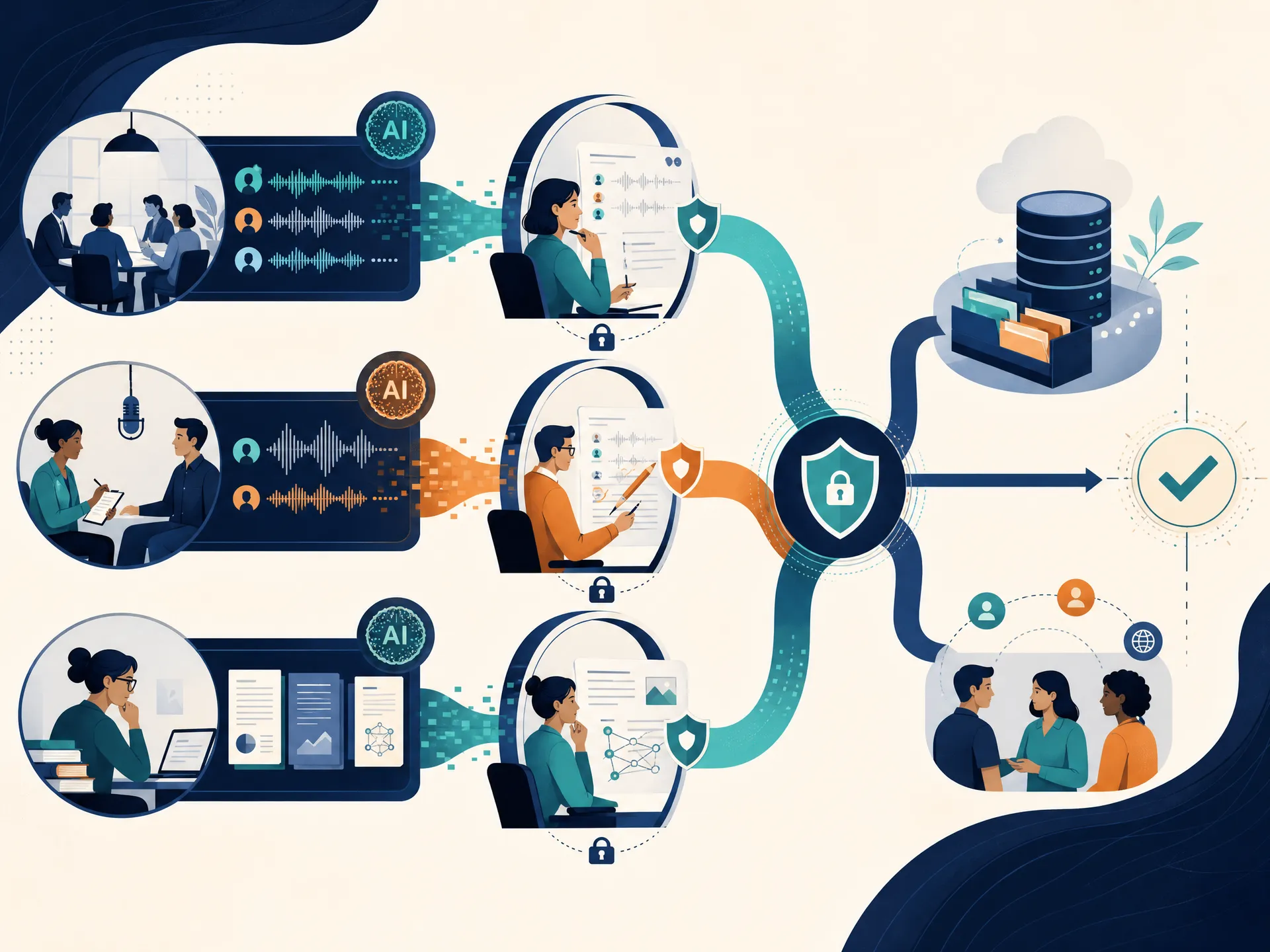
Review gates keep raw capture, interpretation, and final sharing as separate decisions.
Where AI note-taking should stop
Stop the workflow when participants have not been informed, when someone objects, when the material is too sensitive for the approved service, or when the tool cannot show which source supports a claim. Stop before sharing a summary that contains an unverified quotation, an invented action, or a decision no one actually made.
A transcript can be useful evidence, but it is not automatically an accurate account. Speech recognition can miss names, accents, overlapping voices, humour, and technical language. Summaries can omit a qualification that changes the meaning. A human reviewer remains responsible for the record that leaves the private workspace.
The practical answer
A useful AI note-taking process starts with a clear purpose. It creates the record the task requires. A person reviews that record before it is shared. The workflow should state when the record can be deleted and who decides that it is no longer needed. Meeting actions, interview attributions, and research evidence each need their own checks.
Use AI for structure, search, and first-pass organisation. Leave consequential decisions to a human who knows the context and can accept responsibility for the result. When the tool makes uncertainty visible, people can review its limits. The workflow should keep people in control. Good note-taking is not about producing more text; it is about preserving information that deserves attention.