
Main idea: Start with one modest task. Let the agent prepare work before you allow it to change records, contact customers, or commit money.
Introduction
A small company can now try an AI task assistant without hiring a developer at the outset. Browser-based builders let teams describe a task, add source material, connect existing applications, and test the result without writing traditional code. Microsoft’s Copilot Studio guide explains how users can create an agent, add knowledge, test changes, and publish the result through an available channel. Make and Zapier describe additional ways to connect business applications with AI steps.
An easy interface does not remove the need for good decisions. Before you start, decide what triggers the task, what information the system may read, what it should produce, and where a person must review the result. A careful plan will protect you from creating an impressive-looking system that nobody can trust.
A sensible first experiment could sort incoming enquiries, draft customer responses, shorten support messages, or turn a form submission into an internal task. Leave payments, account changes, medical recommendations, legal judgments, and unrestricted private-record access for later. Choose a small project that is useful, understandable, and easy to stop.
What a no-code task agent is
A no-code task agent is a set of connected steps that relies on AI to interpret information and prepare an action. Instead of writing software functions, you arrange a starting event, instructions, information sources, review points, and final actions inside a visual workspace.
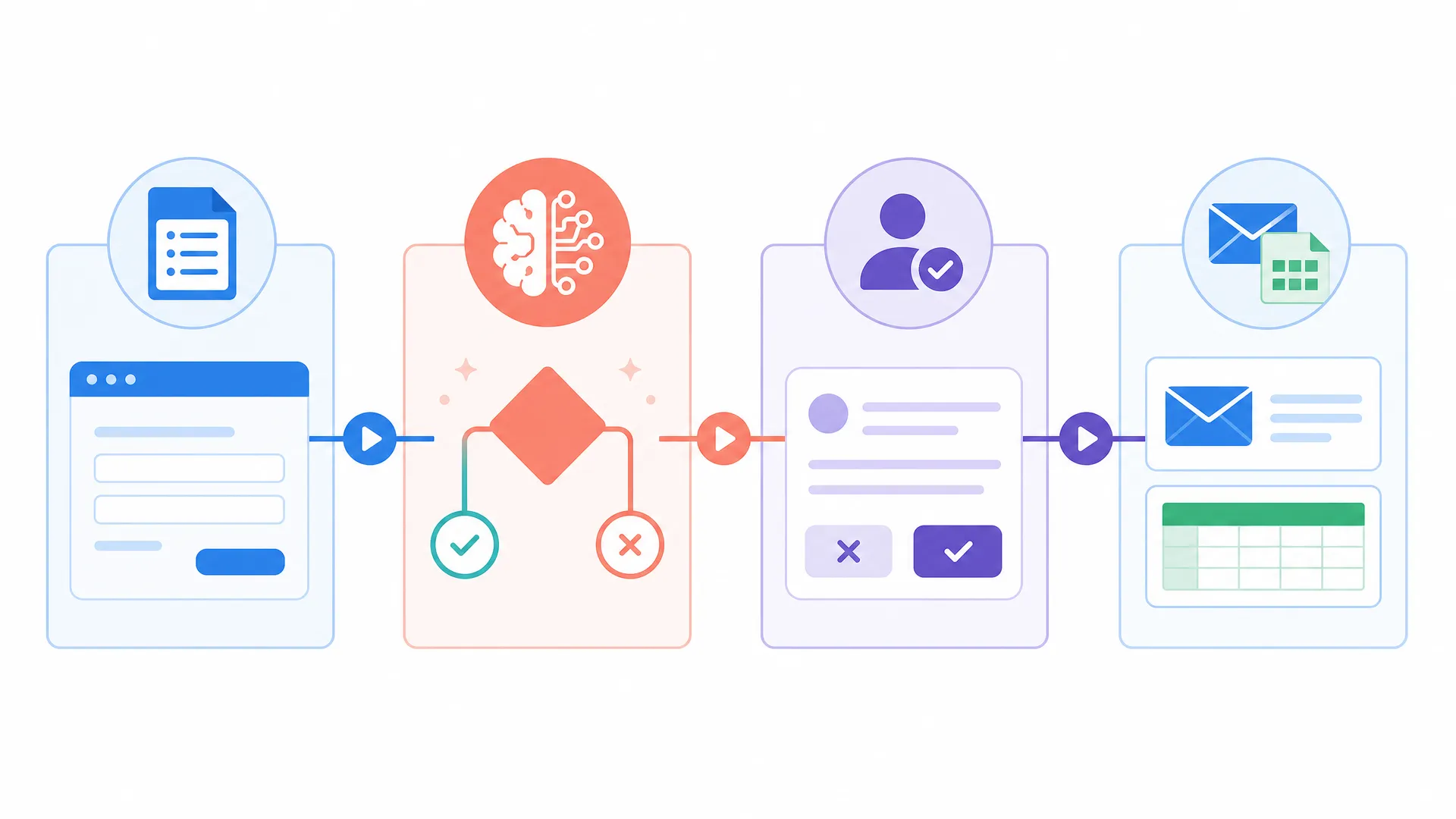
Imagine a customer filling out a service form. The system reads the message and identifies the type of request. It then finds the relevant company policy, prepares a reply, sends the draft to an employee, and records the approved outcome. The AI does not have to control every part of the sequence. A person can remain responsible for the decision that matters most.
This design is especially helpful for small teams because it separates assistance from authority. The agent can handle repetitive preparation while an employee remains responsible for sensitive messages and irreversible changes.
Choose a repeatable task with a clear purpose
Do not start by asking which AI product has the most features. Start by looking at the tasks your team repeats every week. Choose a task with a clear starting point, a familiar method, and an outcome that someone can check.
A property manager might need help sorting maintenance requests. A training consultant might want a short meeting brief from an intake form. A local retailer might want draft replies for questions about delivery times. A small agency might want to turn a new enquiry into a clearly arranged task for the right employee.
A suitable first task should occur often enough to repay the setup effort. The staff should already agree on the usual method. A mistake should be easy to correct. If a single error could cost money or expose private data, include a human approval stage from the outset.
Avoid vague instructions such as “run my support desk.” That sentence hides several different jobs. A better request might say, “When a new delivery question arrives, find the order reference, check the current shipping policy, and prepare a reply for an employee to approve.”
A simple test is this: if you cannot explain the task in a short paragraph, reduce its scope before opening the platform.
Write the plan before creating anything
Write down what starts the task. State what the system must receive, what it should return, which failures matter, and who makes the final decision. Mention customer details, payment information, private files, and public messages when they are involved.
This written plan is the agent’s first set of boundaries. You do not need a technical diagram. A clear description is enough.
Select a platform that fits your team
A suitable platform should connect with the applications your team already uses. Check the form system, email service, calendar, spreadsheet, help desk, or CRM before comparing advanced features. A simple connection that works reliably is more valuable than a sophisticated option that does not fit your daily routine.
Microsoft Copilot Studio describes a guided way to create an agent, add knowledge, test it, and publish it to a supported destination. Make AI Agents offers a visual way to build connected processes. Zapier AI agents support AI tasks alongside a wide range of application connections. These products differ in pricing, permissions, data practices, and integration limits. Read each provider’s current documentation before committing.
Check whether the platform supports a safe testing area. Find out whether an employee can approve an action, whether activity records are available, whether access can be restricted by role, and how confidential information is handled. Also ask whether you can export the setup if you later move to another service.
Start in a trial account or a low-risk workspace. Keep live customer records away from the first experiment until you understand the platform’s access and retention settings.
Give the agent one clear responsibility
An agent needs more than a topic. It needs a clear responsibility. Explain its purpose, the information it may rely on, the steps it should follow, what it must avoid, and when an employee should take over.
For example, a home-repair company could give an agent this example:
Sort new service requests for the office team. Read the customer’s description, identify the service type, condense the problem into two sentences, and suggest the appropriate team. Do not promise a price, appointment, or completion date. Send safety concerns, missing contact details, and angry complaints to an employee.
This example works because it gives the system a limited task. It does not ask the agent to solve every customer problem or make promises on behalf of the company. Specific boundaries also make the test results easier to understand.
Supply current information
Add only the documents and pages that support the chosen responsibility. A delivery assistant may need shipping areas, estimated times, and return rules. The rest of the company archive is unnecessary for this task.
Review the material before connecting it. Remove expired policies. Resolve conflicting instructions. Choose someone to maintain the information later. Tell the agent what to say when it cannot verify an answer. It should ask for help or say that the information is unavailable rather than inventing a confident reply.
Test the information with three kinds of questions. Use questions with clear answers, questions that omit an important detail, and questions that fall outside the agent’s role. The final group reveals whether the system knows when to stop.
Connect applications carefully
Once the directions and source material are ready, add the applications needed for the job. A small setup may connect a website form to an AI step, an employee review, and an email or spreadsheet update.
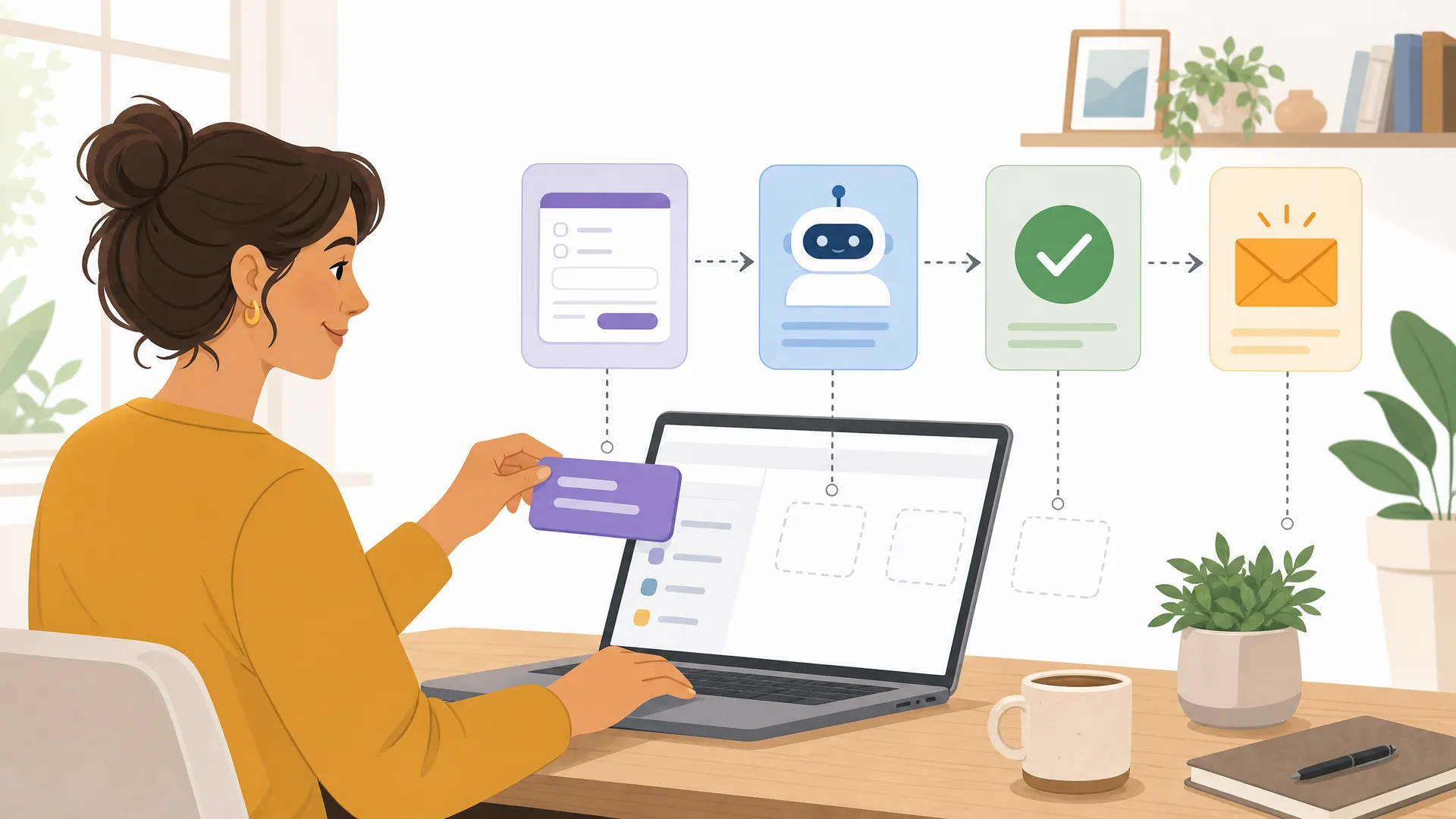
Add one application at a time. Test the setup after each new connection. Give the agent the narrowest access that allows the task to work. Reading information is safer than changing it. Preparing a draft is safer than sending a message automatically. Keep an employee involved when the sequence touches money, accounts, private records, or public statements.
Give the system only the access required for its assigned responsibility. Broad permissions can turn a fast setup into a long cleanup.
Make every part easy to check
Give each part one responsibility. A form can collect the request. A checking step can look for missing details. An AI step can sort the request and prepare a draft. A review step lets an employee decide whether the draft is ready. A final step can record what happened.
For a new enquiry, the sequence might receive the form, check for a name and contact method, classify the request, find the matching policy, prepare a reply, send it for approval, and record the approved result in a CRM or spreadsheet.
A reviewable setup makes problems easier to find. If the form lacks a field, check the first part. If it selects the wrong policy, check the source material. If the category is wrong, improve the examples or directions. A sequence that you can inspect is easier to repair than one large hidden command.
Test before real customers see the result
Testing should continue throughout the build. Test after changing an instruction, adding a document, connecting an application, or altering an approval rule. Microsoft recommends repeated testing while an agent is being improved, as explained in its Copilot Studio guidance.
Create examples that represent ordinary, incomplete, unusual, and out-of-scope messages. Include short replies, spelling mistakes, emotional wording, and conflicting details. Check whether the agent asks for the missing information instead of guessing.
Keep a record of each result. Check the category, source, draft, review step, and treatment of private information. Keep the system away from real customers until a person has reviewed the test results.
Keep the old manual method available during the first customer period. If the agent behaves unexpectedly, staff should be able to pause it and complete the task themselves.
Mistakes to avoid during the first build
One mistake is automating a routine that the team has never agreed on. Different employee habits will give the agent conflicting signals. Decide on the preferred method before connecting an AI step.
Another mistake is confusing fluent writing with accurate information. A smooth sentence may still contain a false claim. Require the agent to use the approved source and admit when it cannot verify something.
Some teams forget the human handoff. Customers should have a clear way to reach an employee when the agent cannot help. Staff should know how to review, correct, and stop the system.
Adding too many integrations too soon can create confusion. Each connection adds another place where the setup can fail. Prove that the smallest useful version works before adding more features.
Do not measure only the minutes saved. Track corrections, wrong classifications, missed handoffs, customer complaints, and staff confidence. A system that saves time but creates expensive rework is not successful.
Review the agent after its first customer use
Check the agent after its first group of real or carefully de-identified examples. Look for the same mistake appearing more than once. If the error repeats, revise the directions, information source, process stage, or approval rule.
If the agent has too many responsibilities, divide the tasks into smaller units. Give the setup an owner and set a review date. A no-code agent still needs attention when policies, products, staff roles, or connected applications change.
Final checklist
Before release, confirm the agent’s purpose, written method, source material, permissions, employee handoff, and test set. Make sure the team can pause the system and correct its output. Check that the platform’s data settings match the sensitivity of the information involved.
The safest approach is to build the smallest useful version first. Let the agent prepare or arrange tasks before you allow it to make high-impact changes. A careful pilot shows what the system can really do.
Conclusion
A no-code AI task assistant can reduce routine effort without requiring traditional programming skills. The strongest first project has a narrow goal, a small number of connections, current source material, and a clear point where a person reviews the result.
Choose one repeated task. Describe it in plain language. Add only the information it needs. Connect each application separately. Test ordinary and unusual examples. Watch the first customer results closely. Then improve the method based on evidence rather than promises.
Starting small may feel less exciting than building a large assistant immediately. It gives the team a better chance to understand the system, correct its mistakes, and decide whether it deserves a larger role.