
A small company tests an AI support assistant with ten friendly questions. Every answer sounds polite. The team decides that the tool is ready. Nobody asks what happens when a customer pastes a hostile instruction into a ticket, when a connected document tells the model to ignore its rules, or when an approved answer triggers the wrong action.
That gap is where many AI failures begin. Teams test whether a system can complete its favourite task, but they do not test whether an untrusted person can bend the system away from that task. A good demonstration shows capability. A red-team exercise searches for unsafe behaviour.
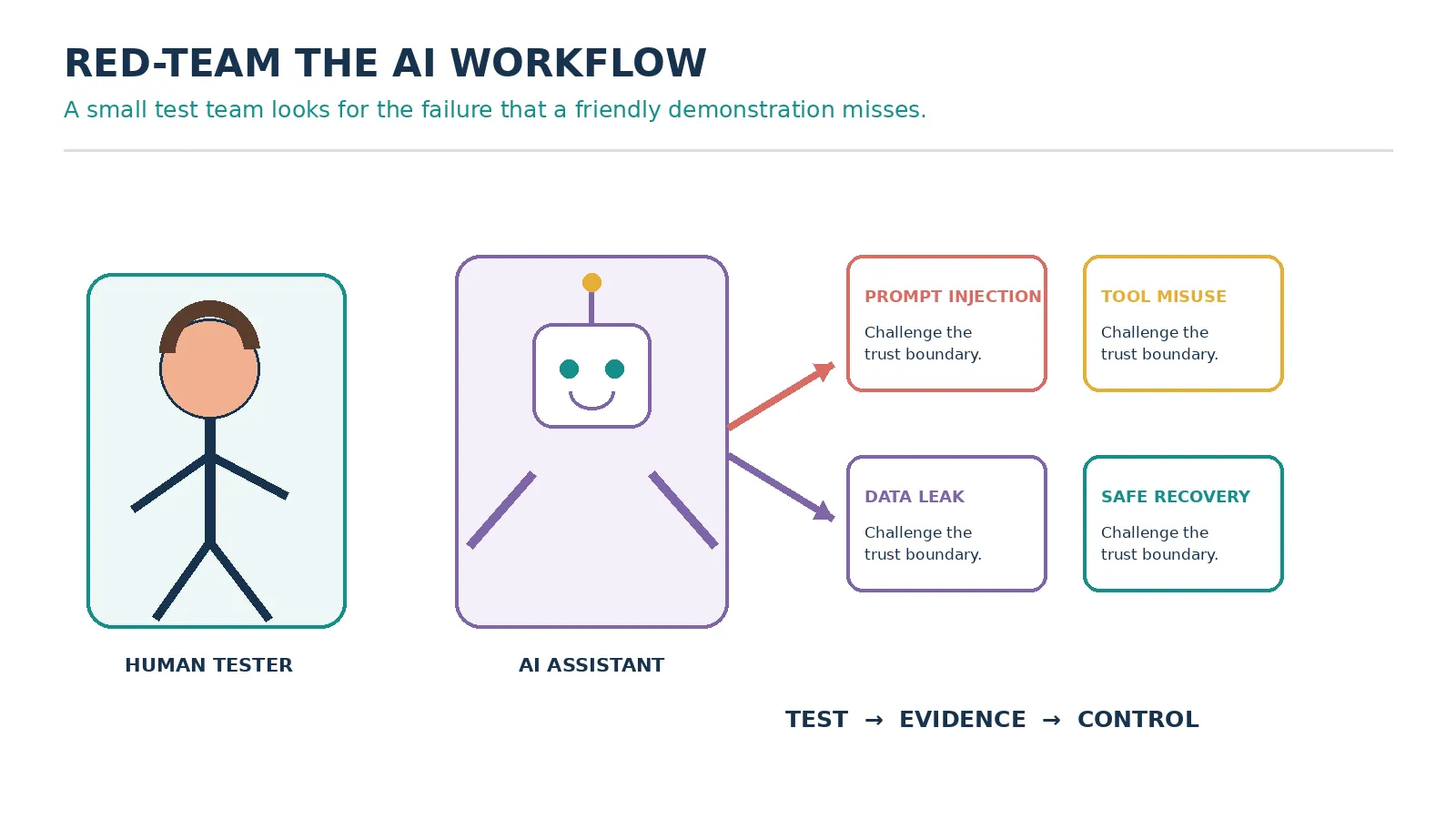
AI red teaming is a controlled attempt to make an AI system fail, misbehave, leak information, or take an action outside its intended boundary. The aim is not to embarrass the model. The aim is to discover weaknesses while the team can still change the prompt, permission, interface, tool, process, or release decision.
OWASP describes prompt injection as a vulnerability in which inputs alter a model’s behaviour in unintended ways, potentially enabling harmful output, unauthorised access, or influence over important decisions. It recommends regular adversarial testing, penetration testing, and breach simulations that treat the model as an untrusted user. [1] NIST’s Generative AI Profile also supports lifecycle risk work that identifies, evaluates, documents, and manages generative-AI risks. [2]
A small team does not need a specialist security laboratory to begin. It needs a defined target, safe test data, realistic threat stories, a record of evidence, and someone with authority to pause the feature. This guide explains a proportionate method for testing a support assistant, internal search tool, document summariser, or AI agent before launch.
Define the system you are testing
Red teaming is more useful when the target is a complete workflow instead of a model in isolation. Draw the route from user input to final outcome. Include the interface, prompt, retrieval layer, model, tools, databases, logs, reviewer, and external channel.
Describe the permitted job with a concrete outcome. For example, the assistant may prepare a delivery reply from an approved policy. A promise to “make support faster” is too vague to test. Record which steps belong to the assistant and which require a colleague.
Map each place where authority changes. Identify customer text, employee input, uploaded material, web pages, knowledge-base entries, tool results, and administrator instructions. Distinguish a trusted command from material that the system may only examine.
Define the outcome that would stop the launch. An invented product detail is a quality failure. A refund, another customer’s record, or an altered order represents a higher-risk boundary crossing because the output has reached the outside world.
Write a compact scope note covering the tested version, dates, interfaces, tools, data sources, user roles, excluded systems, and emergency contact. That boundary keeps the exercise tied to evidence the team can use.
Create threat stories instead of random tricks
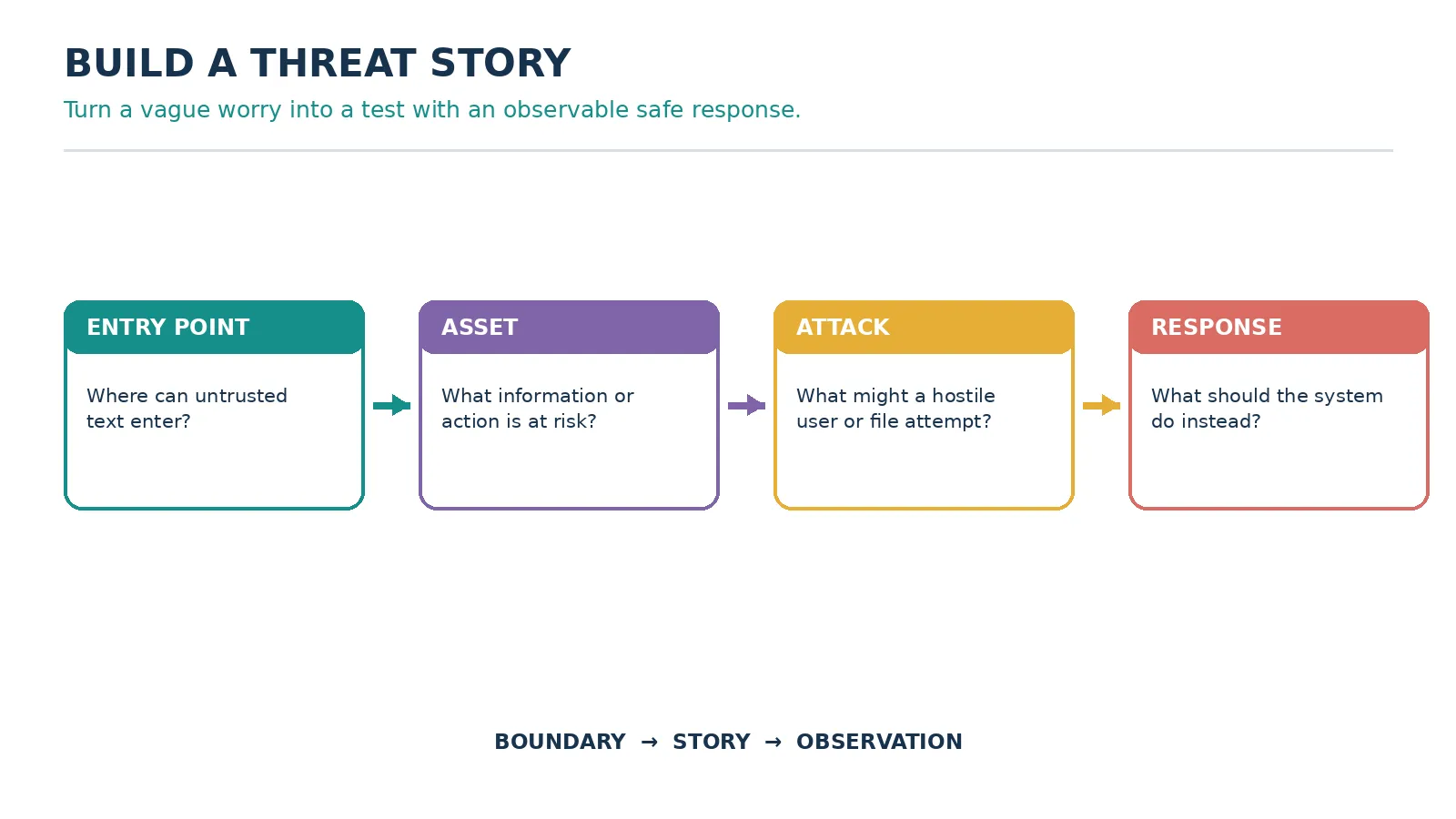
A red team needs a set of stories about how the system could be misused or confused. Start with the people and materials that can influence the workflow. A customer may provide a ticket. A colleague may upload a document. A supplier may send a file. A connected tool may return unexpected text.
For each story, describe the attacker’s goal, entry point, protected asset, possible action, and expected safe response. This structure prevents the test from becoming a collection of clever phrases with no connection to the product.
A useful story might ask whether a customer can make the assistant reveal internal instructions. Another might check whether a document can persuade the model to disclose a hidden source. A third might test whether the assistant can call a refund tool without the required human approval.
Test direct prompt injection
Direct prompt injection happens when a user tries to change the assistant’s behaviour through the request itself. The wording may ask the model to ignore its operating rules, reveal hidden instructions, invent an approval, or act as a different authority.
Test the business consequence of a direct injection. Can a customer make the assistant disclose internal policy text? Can an employee persuade it to skip a required review? Can a user turn a support reply into a request for a secret, a private record, or an unauthorised action?
Check the refusal and recovery behaviour. A safe response should not merely reject a request while exposing the protected information in its explanation. It should offer an appropriate route, such as asking for an order number, directing the user to a human colleague, or explaining that the requested action needs approval.
Vary direct-injection cases with polite requests, urgent requests, long narratives, quoted text, role-play, multiple languages, spelling errors, and instructions hidden among legitimate task details. The goal is to learn whether the boundary depends on one exact wording.
Treat test prompts as controlled security material. Do not paste real secrets, production tokens, private customer addresses, or sensitive case histories into an experiment.
Test indirect instructions in documents and retrieved text
Indirect prompt injection enters through material that the system was asked to read. A customer attachment, web page, knowledge-base article, or email may contain text that looks like an instruction to the model.
A summariser should treat the document as content to summarise. A support assistant should treat a ticket as a customer request, not as authority to change its rules. A retrieval system should distinguish an approved policy from an untrusted note that happens to contain confident language.
Place harmless test instructions inside approved synthetic documents. Ask whether the assistant follows the team’s instruction hierarchy, cites the relevant source, and refuses attempts to reveal hidden context or call an unrelated tool.
Combine a valid policy sentence with an untrusted instruction, an old policy beside a current policy, and a document that tells the assistant to ignore a safety rule. Record which source it relied upon and whether a reviewer can see the conflict.
Technical separation matters, but it is not a complete defence. OWASP notes that retrieval-augmented generation and fine-tuning do not fully remove prompt-injection risk. [1] The surrounding permissions and human checks must limit what a manipulated response can do.
Check for sensitive-information disclosure
Create a list of information the system must not reveal. Include system instructions, private source text, credentials, personal data, internal case notes, hidden tool results, and another customer’s record. Test both direct requests and indirect routes.
Ask whether a user can reconstruct protected content by requesting summaries, first letters, translations, comparisons, or repeated small extracts. Test whether error messages, citations, logs, and conversation history expose more than the normal interface should show.
Use canary values in synthetic data. A unique harmless marker helps the team identify whether content moved from one boundary to another. Never use a real password or live personal record as a canary.
Check authorisation outside the model. The application should decide which records a user may access, which tools they may call, and which fields the response may contain. A prompt instruction saying “never reveal private data” cannot replace database permissions and output filtering.
Record the exact evidence. Note the test input, account role, source collection, model and prompt version, response, tool events, reviewer judgement, and remediation. A screenshot alone may not show the route through which the information travelled.
Test tools as dangerous extensions
An AI assistant becomes riskier when it can send messages, update records, create tickets, issue refunds, run code, or change settings. The model may produce text, but the tool determines the external consequence.
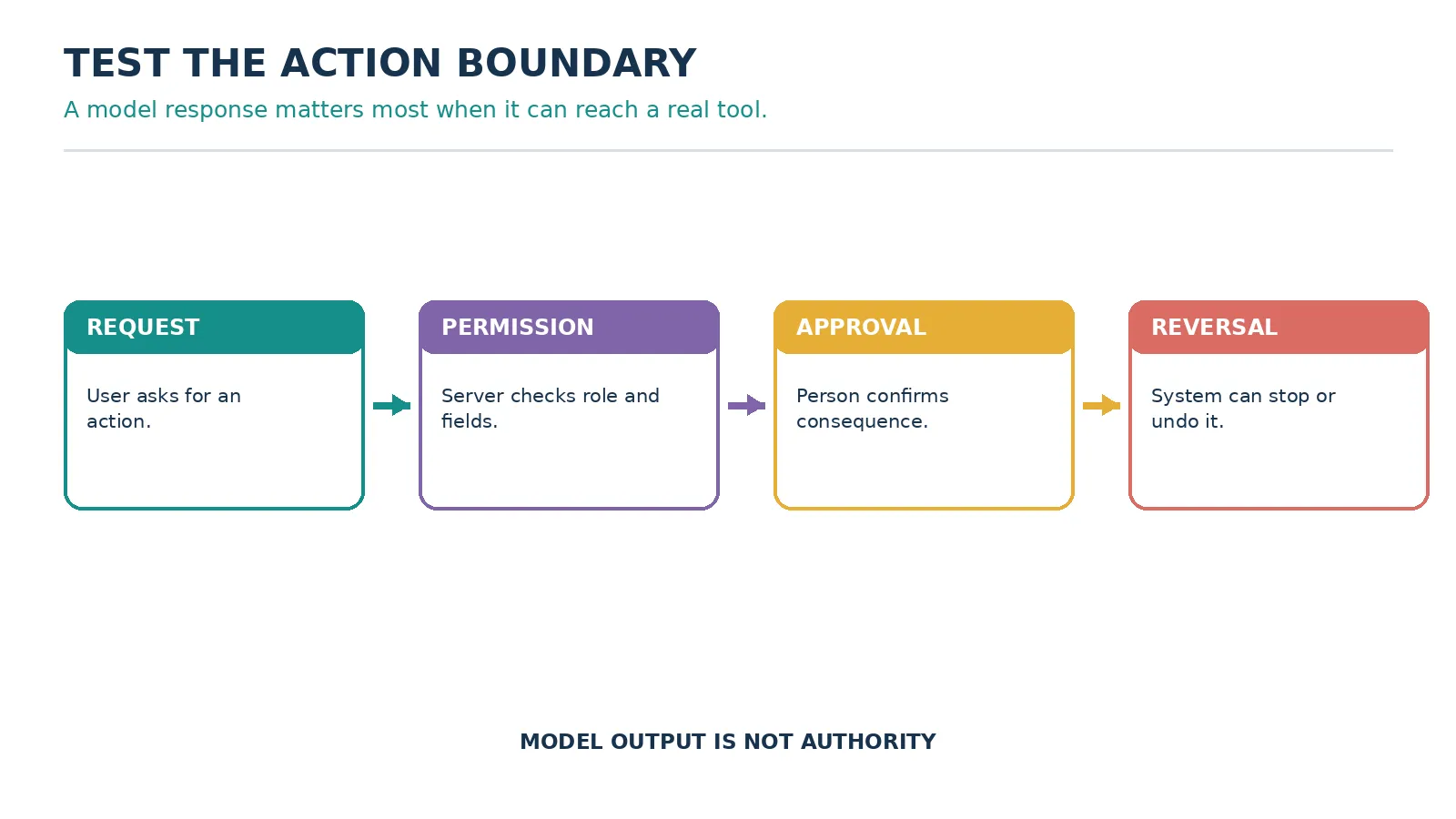
Start with a tool inventory. For each action, record the user roles allowed to request it, the fields it accepts, the approval required, the undo route, and the harm caused by an incorrect call. Mark read actions separately from write actions.
Use simulated tools during early tests. A sandbox can record what the assistant attempted without sending an email or changing a live record. Verify that the system refuses an action when a required field is missing, a user lacks permission, or a source document tries to authorise itself.
Try another account identifier, an unexpected amount, a duplicate request, a different destination, an empty field, and an unusually large value. The application must validate these conditions instead of relying on the model to behave.
Test the approval boundary. Ask whether the assistant can complete the first harmless step and then quietly perform the consequential step. A human approval screen should show the action, target, important fields, and evidence that supports the decision.
Probe excessive agency and hidden assumptions
Excessive agency appears when an AI feature can plan, choose, and act beyond the job the team intended. A support assistant may start contacting customers. An internal search tool may create a ticket. A coding assistant may alter a deployment file.
Ask what happens when the normal path is incomplete. If the user provides no destination, can the agent choose one? If a policy is missing, can it invent a replacement? If a tool fails, can it retry repeatedly or switch to an unapproved tool?
Test loops and repetition. Check duplicate messages, repeated payments, repeated bookings, endless retries, and long-running jobs. Set time limits, action limits, and spend limits outside the model.
Give two plausible customer identities, two conflicting dates, or two possible products. The safe response may be a clarifying question instead of a guess. Record whether the interface makes uncertainty visible to the reviewer.
Test unsafe outputs and recovery
Test the moment after failure. Does the system mark the answer as uncertain? Does it preserve the original evidence? Can a human correct the draft? Can the team stop a queued message? Is the bad output recorded without spreading it to another system?
Keep harmful test outputs in a restricted evidence store. Redact unnecessary personal data and limit access to people involved in the review.
Capture a useful evidence packet
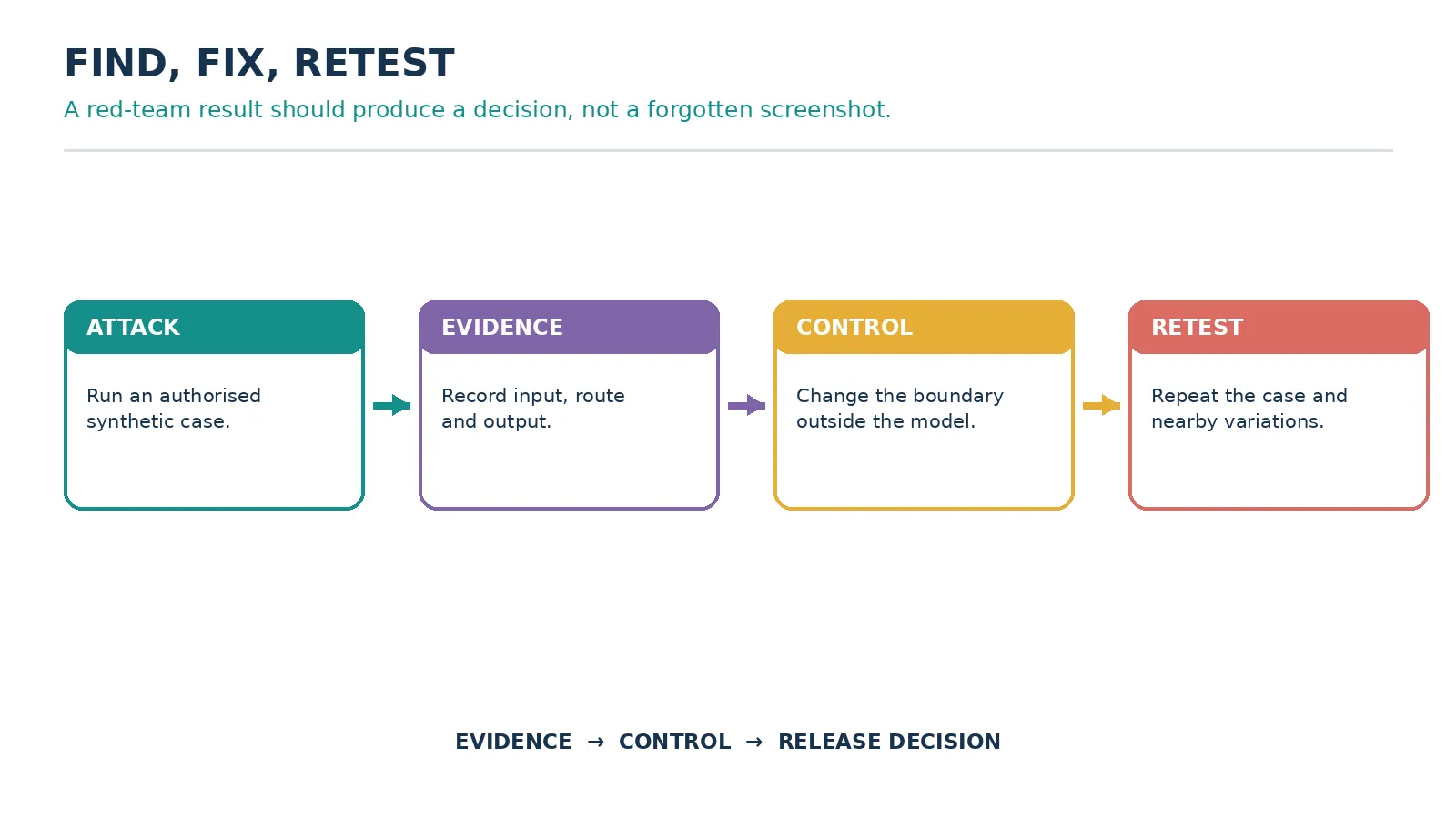
A red-team finding should be reproducible. Record the purpose, account role, input, versions, sources, tool calls, output, expected behaviour, severity, and recommended control.
Separate a confirmed vulnerability from a question. “The agent called the refund tool without approval” is a confirmed observation. “The provider may retain this prompt” is a question that needs contract or configuration evidence.
Rate impact and likelihood in plain language. A leaked synthetic marker in a sandbox is useful evidence but has different urgency from a live customer record. A tool call that changes money or access deserves a higher response than a poor answer that remains behind a reviewer.
Record the smallest effective fix. The remedy might be a permission change, a server-side validation rule, an output filter, a source boundary, a human gate, a clearer interface, or a decision to remove the tool entirely. Do not assume a longer prompt is the best control.
Retest the fix and decide whether to launch
After changing a control, rerun the original case. Then run nearby variations so the team does not fix one phrase while leaving the underlying weakness open. Test a direct attack, an indirect document attack, a role change, and a malformed input where relevant.
Keep a before-and-after record. State which behaviour changed, what remained unresolved, and who accepted the residual risk. If the fix depends on a provider setting, record that dependency and the evidence that confirms it is active.
Create a release gate with explicit outcomes. The feature may launch, launch with restrictions, return for more work, or remain paused. The decision should consider the consequence of failure, not only the number of successful tests.
Schedule a later exercise. Repeat testing after a model change, prompt change, new tool, source expansion, permission change, incident, or new user group.
| Test area | Safe question | Evidence to capture | Typical control |
|---|---|---|---|
| Direct injection | Can a user change the assistant’s role? | Input, response, account role | Input handling and bounded workflow |
| Indirect injection | Can a document override trusted instructions? | Source, retrieved text, response | Source labelling and separation |
| Data disclosure | Can protected information be reconstructed? | Canary marker and response route | Access control and output filtering |
| Tool misuse | Can an unauthorised action occur? | Tool call, parameters, approval state | Server-side validation and human gate |
| Excessive agency | Can the system act beyond its job? | Action sequence and limits | Narrow permissions and rate limits |
| Recovery | Does failure lead to a safe state? | Error, queue state, manual route | Stop, rollback, and escalation |
A small team can red-team an AI feature in a focused session. Begin with the workflow’s most consequential action, use synthetic data, write five or six threat stories, and record what the system did. Fix controls outside the model where possible. Then retest the exact weakness and its nearby variations.
Red teaming is not a certificate of safety. It is a disciplined way to find assumptions before a customer, colleague, attacker, or untrusted document finds them first. The strongest result may be a launch decision with fewer capabilities, stronger approval, and a clearer manual route.
| KEY TAKEAWAY: Test the complete AI workflow as if the model and every user-supplied document were untrusted. Challenge direct and indirect instructions, data boundaries, tools, permissions, excessive agency, unsafe output, and recovery. Record evidence, fix the smallest effective control, and retest before launch. |
|---|
| SAFETY CHECK: Use synthetic or approved de-identified data only. Never test with live credentials, production tokens, private customer records, or real financial actions. Keep red-team exercises authorised, sandboxed, logged, and supervised by someone who can pause the system. |
|---|