
A small company’s AI assistant answers a customer question, looks up an order, and drafts a reply. The message appears in the support queue. A week later, the customer disputes the information. The team can see the final words, but not which model produced them, which policy was retrieved, or who approved the response.
Without that history, a routine correction becomes an investigation built on memory. An AI audit trail records enough of an AI-enabled workflow to reconstruct its inputs, outputs, access, and actions. It is not a warehouse of private conversations. It is a deliberately narrow evidence record for accountability, security, and diagnosis.
Audit logging can sound like enterprise infrastructure, especially to a small team without an observability department. A compact workflow register, structured events, protected storage, and a named reviewer form a useful starting point. The design question is not how much data the team can hoard. It is which facts will settle a disputed answer or explain an unexpected action.
Microsoft’s guidance for Copilot and AI application audit logs identifies useful fields such as user identity, time, accessed resources, agent identity and version, message details, model information, policy outcomes, and success or failure status. [1] NIST’s AI Risk Management Framework treats trustworthy AI as a continuing activity across design, use, evaluation, and changing conditions. [2] The UK National Cyber Security Centre also advises small organisations to prepare response and recovery arrangements before an incident. [3]
The sections that follow translate those principles into a workable record for a small support, operations, sales, or internal-knowledge function.
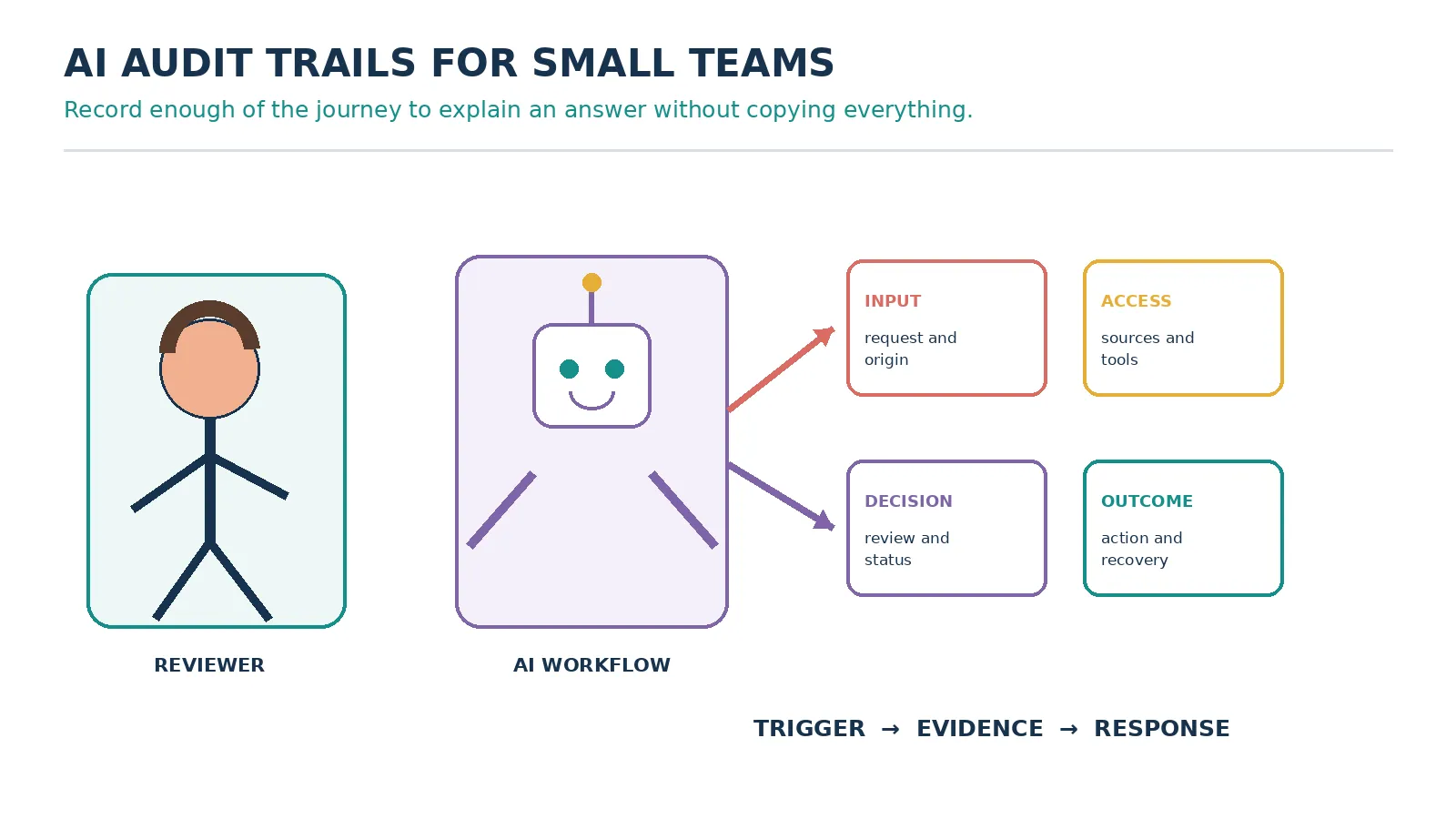
Begin with the event you need to reconstruct
Begin with the question an investigator may need to answer. “Why did this reply reach the customer?” gives the design a destination. “Capture everything the AI does” gives the team no sensible boundary.
For a support reply, begin with the staff member’s request and retrieved policy documents. Follow the path through the model, then finish at human approval or a message sent to a customer. For an internal search tool, the path may end with a cited answer and a list of records the user was allowed to inspect.
Describe the route in ordinary language: trigger, actor, input, sources, model or service, tools, policy checks, output, human decision, and resulting action. Those points define what the trail must cover.
Separate observation from interpretation. The log can show that a policy document was retrieved and a refund tool was called. It cannot, by itself, prove that the model “understood” the policy or that the business decision was sensible. Those conclusions need review evidence.
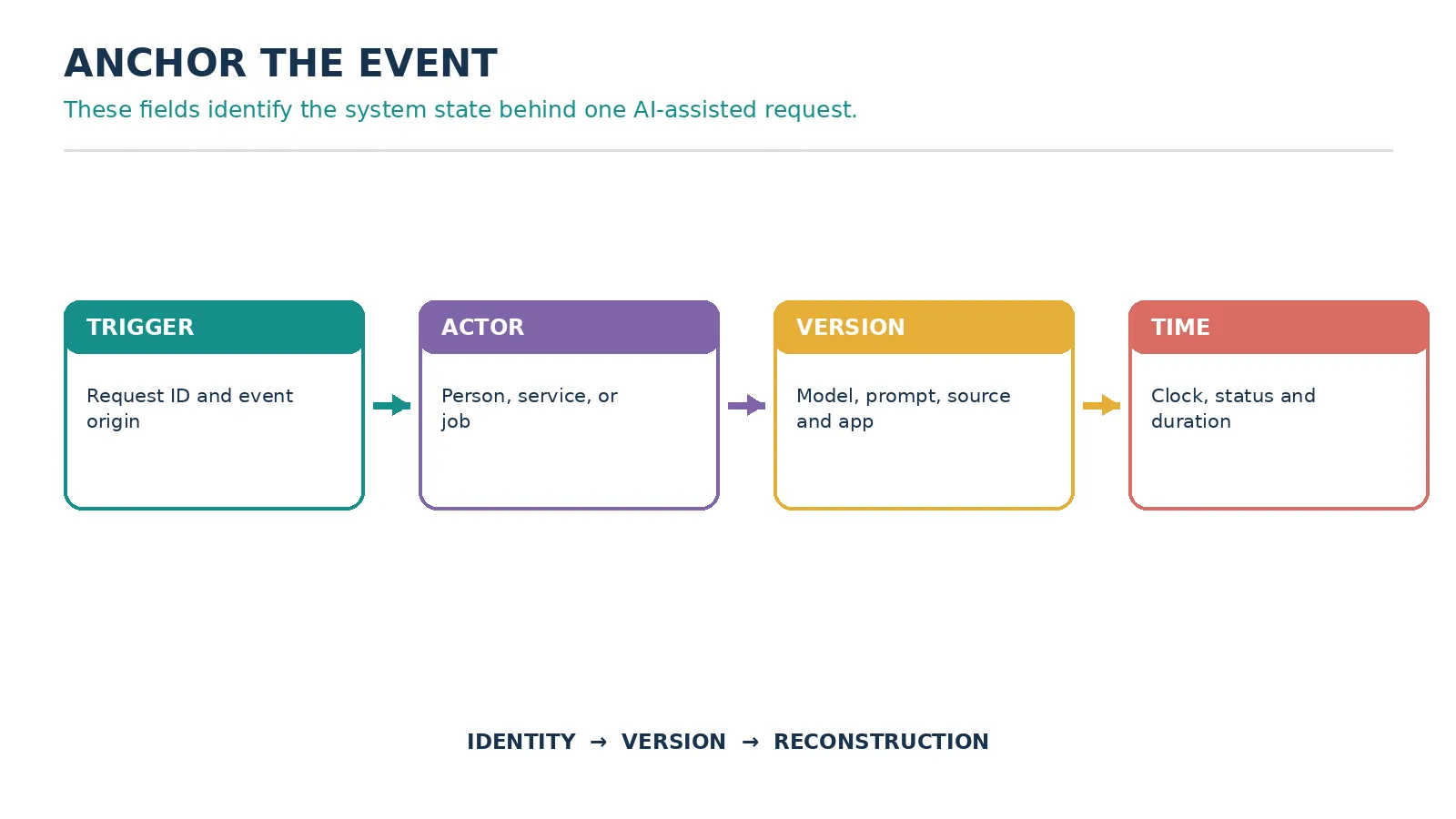
Record identity, time, and version
A timestamped event still has little value if nobody can be tied to it. Record the initiating person, service account, or scheduled job. Add the identifier of the agent or workflow when one exists.
Choose one timestamp convention and state its time zone. When staff compare a complaint with a model event, 14:00 must have one meaning instead of three possible clocks. Synchronised clocks help when evidence comes from several services.
Capture the prompt version, model identifier, agent version, retrieval configuration, tool version, and application release where they affect the outcome. A visible prompt may remain unchanged while a provider replaces a model or a knowledge collection gains new documents.
Keep a small version register beside the event log. The register can link a release key to its prompt, source boundary, evaluation result, owner, and approval. This avoids placing a full prompt or private conversation inside every event record.
Log inputs without copying unnecessary secrets
An audit entry rarely needs an untouched prompt. Classify the input before deciding what to retain. A request ID, content type, sensitivity class, size, hash, or redacted extract may answer the investigation question without reproducing the whole request.
If the exact input is required for a high-risk investigation, store it in a restricted evidence location and link to it from the event record. Keep the ordinary operational log smaller and more widely available to approved reviewers.
Never place passwords, API keys, session tokens, payment details, or private customer information into a general-purpose log. Redaction should happen before data reaches the logging service where practical. A token hidden in a response still becomes a security incident if it remains searchable in the log store.
Use synthetic canary values during testing. A harmless unique marker can show whether a private-looking field moved from an input into a prompt, output, tool call, or monitoring record. Do not use real credentials as test markers.
Record the input’s origin. A request typed by a staff member, a customer ticket, an uploaded file, a retrieved policy, and a tool response should not appear as one undifferentiated block of text. Source labels help reviewers identify which material had authority and which material was untrusted data.
Capture retrieval and data access
For document and database workflows, the answer is only the visible end of the trail. Note the collections, files, records, or resource identifiers touched, together with the operation when it matters: read, create, amend, or delete.
Store enough information to answer three questions. What did the system access? Was the user permitted to access it? Did the retrieved material influence the output or an action?
A resource identifier is often safer and more useful than a full document copy. It lets an authorised investigator locate the source while reducing the amount of sensitive content replicated into the audit system. Apply the same access controls to the lookup process.
Log blocked and failed access attempts as well as successful reads. A policy decision that prevented access may explain why an answer was incomplete. A failed evaluation may reveal that the system continued without a control that the team believed was active.
Check whether citations point to the same source used at runtime. A citation added after generation may look convincing while failing to show what grounded the answer. If the system cannot provide reliable source evidence, label the result accordingly.
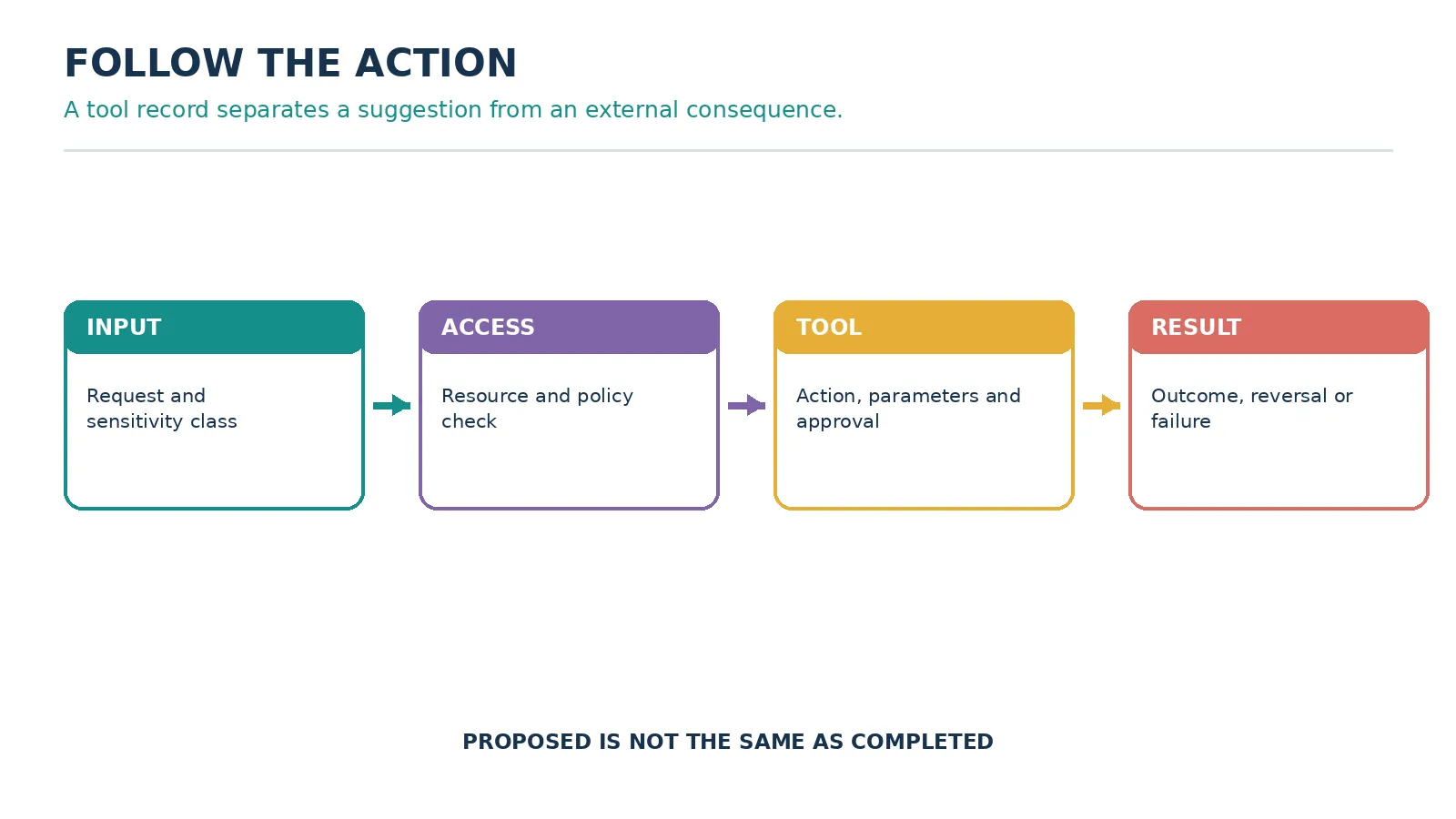
Track tool calls and external consequences
A draft left in a workspace carries a different consequence from a message sent, a record amended, a refund issued, or access granted. The event record must expose that distinction.
For each tool call, record the tool name, action, requesting identity, important parameters, permission result, approval state, start time, completion time, and outcome. Avoid storing sensitive parameter values when a type, identifier, range, or redacted representation will answer the investigation question.
Record whether the tool call was proposed, approved, attempted, completed, rejected, or reversed. These states prevent a reviewer from confusing an AI suggestion with a real business action.
Add an idempotency or request identifier for actions that could repeat. If a network timeout occurs after a payment request, the team needs to know whether the request was accepted, retried, or safely stopped. A repeated log entry need not represent a repeated external action.
Keep server-side permission checks outside the model. The audit record should show the result of those checks. A prompt saying “only send approved messages” is not evidence that the application enforced the approval boundary.
Preserve human decisions and hand-offs
The person who checks an AI result belongs in the event history. Record the reviewer, the decision, and any material edit made before release instead of adding those details after the event.
A reviewer need not write an essay for every event. A short decision code can state approved, edited, rejected, escalated, or returned for evidence. Provide an optional note when the reason matters, such as a policy conflict or uncertainty about identity.
When the AI assistant passes a case to a colleague, note the destination queue, reason, and time. If a person takes control after a tool failure, the record should show where automated processing stopped.
Do not treat a human name as proof of meaningful review. The interface should show the important sources, proposed action, warnings, and unresolved uncertainty before approval. The audit trail can record that those elements were displayed or confirmed.
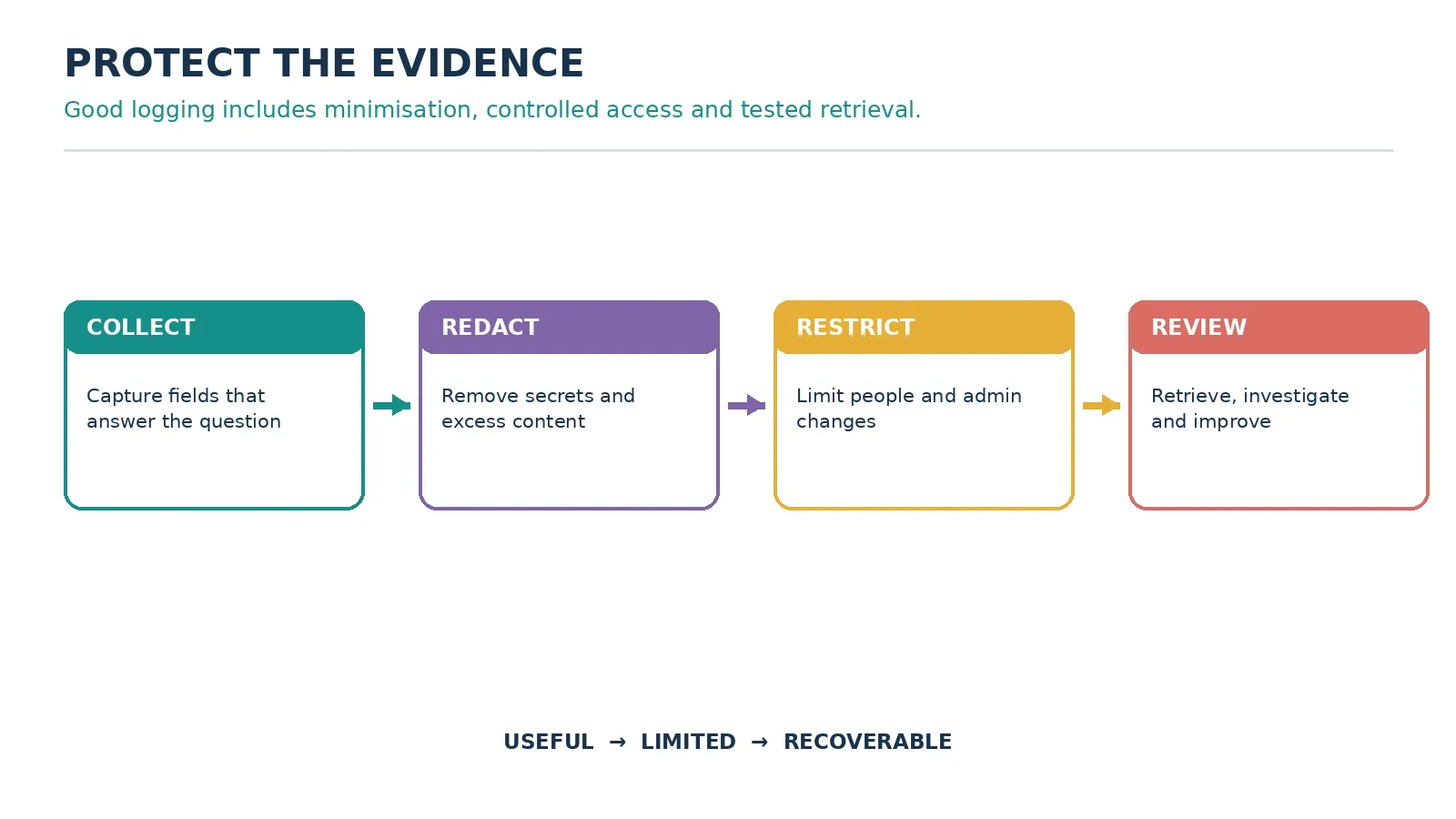
Design retention and access together
Retention should follow purpose and risk, not a desire to keep every record indefinitely. Set a period for each evidence class. Routine metrics may expire sooner than incident files, while a high-risk case may need restricted supporting material behind a smaller event entry.
Limit access by role. Developers may need technical failures without seeing customer content. Support managers may need case history without seeing credentials. Security investigators may require broader access under a documented process.
Protect the log store from casual editing. Use append-only or restricted records where feasible, monitor administrative changes, and record deletion or retention actions. A log that can be silently rewritten is weak evidence.
Test the recovery route. Confirm that an authorised person can retrieve an event, follow its resource links, understand its versions, and compare the record with the downstream action. A record that exists but cannot be interpreted during an incident is not a successful control.
Create a small audit register
Start with one register for the AI workflows in use. Useful columns include workflow name, owner, purpose, model or provider, prompt key, data sources, tools, user roles, sensitivity level, retention rule, incident contact, and last review date.
The register is not the event log. It tells the team what should exist and who is responsible. The event record shows what happened during a particular request. Keep links between the two.
Use a sample event to test the design. Ask a colleague to explain why the assistant produced a result using only the register, event record, and approved source links. If they need to search private chat history or ask the original operator from memory, improve the trail.
Use the trail during an incident
When an AI incident is reported, preserve the relevant evidence before changing the system. Note the report time, affected workflow, users, event identifiers, model and prompt versions, accessed resources, tool outcomes, and immediate containment.
Avoid editing the original event to add a later explanation. Add a linked investigation note that separates facts observed at the time from conclusions reached after review. This distinction protects the credibility of the record.
Follow the path in order. Confirm the trigger, identity, version, input origin, source access, model response, policy checks, human decision, tool action, and downstream result. Treat missing links as findings instead of filling gaps with assumptions.
After containment, update the control. The fix might be a permission change, a new approval gate, a shorter retention rule, better redaction, a provider setting, a source correction, or a decision to pause the workflow. Retest the path after the change.
| Audit area | Minimum useful record | Main question answered |
|---|---|---|
| Identity and time | User, service, timestamp, request ID | Who initiated the event and when? |
| Versions | Model, prompt, agent, source, application | Which system state produced it? |
| Inputs and sources | Origin, resource IDs, sensitivity label | What information entered or was accessed? |
| Output and review | Response status, reviewer, decision code | What did the system produce and who accepted it? |
| Tool activity | Tool, action, parameters, permission, outcome | What external effect was attempted or completed? |
| Recovery | Incident note, containment, fix, retest | What happened after the problem appeared? |
A useful AI audit trail is neither a transcript dump nor a claim that every model decision is fully interpretable. It is a bounded chain of evidence showing system identity, context, access, actions, human involvement, and recovery.
Test the trail before calling it complete
A register can look thorough while failing at the moment a colleague needs it. Run a rehearsal with a harmless support case and ask a reviewer to work from the event identifier alone. They should locate the active prompt and model, identify the source material, distinguish a proposed tool call from a completed action, and find the approval record. Repeat the exercise after a failed request, a hand-off, and a redaction. Record each missing link as a design task. This rehearsal also reveals whether permissions are too broad, timestamps are difficult to reconcile, or retained material is more sensitive than the investigation requires.
A small team can assemble this chain with familiar tools. Choose one consequential workflow, state the question an investigator may ask, retain the fields that answer it, protect sensitive evidence, and rehearse retrieval with a realistic incident. Add scope only after the first trail earns its place.
| KEY TAKEAWAY: An AI audit trail should let an authorised reviewer reconstruct what happened without guessing. Record identity, time, versions, input origin, accessed resources, model output, human decisions, tool calls, outcomes, and recovery actions. Minimise sensitive content, restrict access, and test retrieval before an incident occurs. |
|---|
| SAFETY CHECK: Do not place passwords, access tokens, payment details, private customer records, or unnecessary prompt content in general logs. Use approved retention, redaction, access-control, and incident-response procedures. Treat audit records as sensitive evidence, not as an unrestricted transcript archive. |
|---|